• Skip to primary navigation
  • Skip to main content
  • Skip to footer

Top Header bar

(888) 510-3453 [email protected] DEMO DYNAFILE
DynaFIle

DynaFile

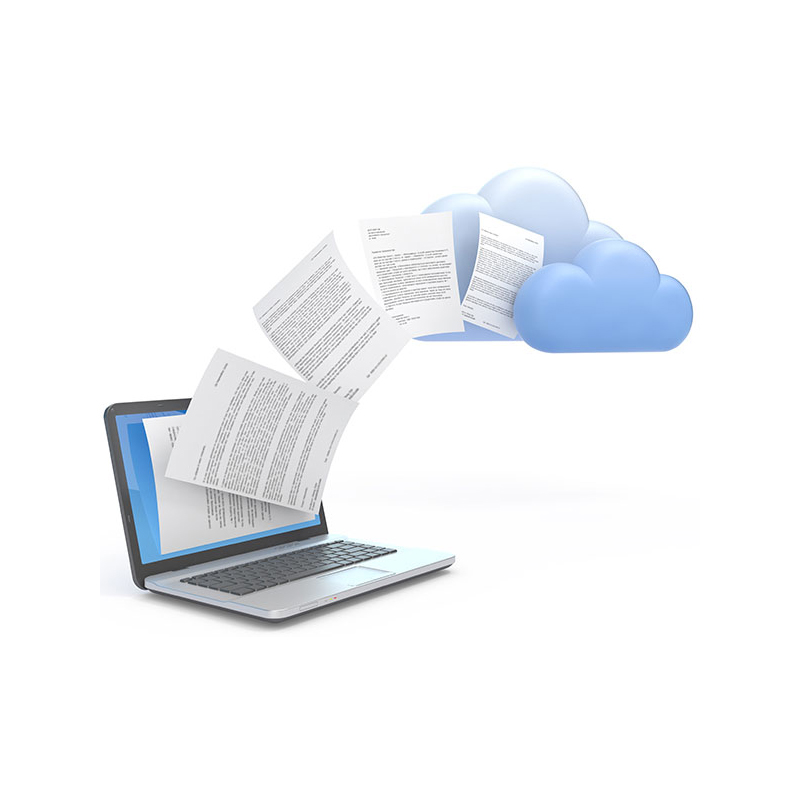
Scan to Cloud HR Document Management Solutions

  • Tour
  • Solutions
    • Human Resources
      • Electronic Employee Onboarding
      • Electronic Employee Files
      • HR Employee File Management
    • Education
      • Electronic Education Onboarding
      • Electronic Education Files
      • Education File Management
    • Healthcare
      • Electronic Healthcare Onboarding
      • Electronic Healthcare Files
      • Healthcare Filing Management
    • Accounting
    • Contract Management
    • Manufacturing & Distribution
    • Real Estate
    • Staffing
    • Other Solutions
  • Features
    • Meet AIDI
    • Cloud Workflows
      • Electronic Signatures
      • Secure File Sharing
      • Version Control
    • Cloud Storage
      • Document Indexing
      • Document Retrieval
      • Segmented Access
      • Drag and Drop Drive
    • Scanning Automation
      • Barcode Recognition
      • Batch Processing
    • Automated Onboarding
    • Seamless Integrations
  • Compliance
  • Integrations
    • Paylocity
    • PandaDoc
    • DocuSign
  • Resources
    • Case Studies
    • ROI Calculator
    • Press Releases
    • HR Guides
      • HR DMS Buyer’s Guide
      • Cloud-Based HR Document Management
      • HR Records Management Best Practices
      • Onboarding with Cloud HR Filing
      • Document Storage vs. Management
      • Digitize HR Paper Files
      • HR Compliance Checklist
    • Blog
    • FAQs
  • Company
    • Advocacy Program
    • Customers
    • Partners
    • History
    • Careers
    • Contact Us
    • Security & Certifications

Andrew Roberts

HR Document Management Soothes Compliance Concerns for Personnel Forms

September 24, 2019 by Andrew Roberts

With the right HR document management strategy, concerns about personnel form compliance are a thing of the past.


Simplify HR compliance with advanced document management solutions. Go paperless with digital personnel forms, streamline signatures, and ensure sensitive data is protected with role-based access. DynaFile offers two decades of expertise in revolutionizing HR processes, ensuring you're always compliant. Discover the future of HR documentation; reach out to us to explore the potential of DynaFile.

Maintaining compliant employee records is an important part of any organization.  Documentation typically includes onboarding forms, policy acknowledgements, medical information, performance evaluations, credentials, trainings, and more. 

The responsibility of keeping personnel folders compliant usually falls on the shoulders of the human resources team – and it’s not an easy job.  However, with the right HR document management strategy, compliance concerns are a thing of the past.  Here are some tools that can make the process much easier. 

Streamline Your Signature Process

You can replace much of your paper process with online personnel forms and digital signatures.  Now all of your forms can be signed and filed in the cloud where you can find them instantly without dealing with paper or manually setting up folders.

You’re not limited to just tax forms, either.  Policy acknowledgements and other company-specific forms can be done the same way.  The best part is that each form is individually identified and automatically filed after the signature process.  This means that tracking files long-term becomes incredibly easy.

Always Know What’s in the Folder

It can be difficult to keep track of forms after everything is completed and signed.  With digital personnel forms, HR can save a ton of time on long-term document management through reports.  There’s no need to manually go into each folder to check. 

For example, you can automate your onboarding checklists, track expiring documents (or documents that get renewed), and easily control retention rules.  That way, you are sure that your employee records are always up-to-date with all required documentation. 

Control Access for Different Teams

A big part of personnel record compliance is keeping sensitive information separate and safe.  This means limiting access to view documents like I-9 forms, medical files, or confidential folders to just authorized staff.  With the right document management system, HR can easily segment access to these files from the cloud. 

It’s common to use role-based access to allow Payroll to only add or view payroll-related documents, for example.  In a similar way, you can give location or department managers access to just their own staff files.  You can even provide auditors or legal entities a copy of just the files they request without the need for any paper.  All of this cuts back on traditional file requests and the long waiting periods associated with it. 

Take the Next Step for Your Files

If you have an interest in streamlining your HR form and file management process, please let us know.  DynaFile is the paperless HR solution with twenty years of experience.  Your team will save time and increase compliance without ever having to print, make copies, or scan paper documents.  Contact us today for a quick intro to see if DynaFile is a good fit. 

Filed Under: Electronic Filing, Paperless Onboarding

Scan to Cloud Filing Give HR a Shortcut to Digital When Paper Piles Up

March 19, 2019 by Andrew Roberts

A quick switch to digital and lasting ROI are important when taking HR paperless. Here’s how scan to cloud filing systems provide a powerful paperless HR solution.


Boost HR efficiency with scan to cloud filing solutions. DynaFile's innovative technology provides shortcuts for a paperless transition, making HR document management hassle-free. Enjoy seamless digital integration and stay effortlessly paperless. Experience the revolution in HR documentation; see what DynaFile can do for you – book a demo now!

If your Human Resources team is still managing employee files the old fashioned way, you’ve probably considered going paperless.  Digitizing personnel folders brings lasting advantages that streamline HR document management long-term. 

A fast and quality-approved process for employee file conversion is critical to ensure a seamless transition.  Just as important, though, is providing an efficient HR file management system for after scanning is completed.

Here’s where a scan to cloud filing system for HR shines by providing a shortcut to digital, along with many time-saving paperless solutions that last. 

Go Paperless Fast

Scan to cloud filing systems are unique in that they include shortcuts to paperless for your HR team.  DynaFile, for example, provides unique scanning automation tools to digitize entire employee folders at once, as well as easily handle future paper coming in.  This reduces the time required for scanning and filing dramatically. 

The beauty of a system like this is that it allows you to skip many of the steps in the typical conversion process by scanning directly to the cloud.  This makes digitizing personnel folders in-house a breeze for HR, temps, or interns; but also gives you the option to outsource the scanning if you like. 

Manage Files Easier

There should be a long-term strategy in place for when scanning employee records is finished as well.  Simplifying compliance and building in efficiencies to save your teams time are what make taking HR paperless a big win.

The ability to centralize employee files in one secure place makes HR document management so much easier.  Now you can eliminate record silos to give teams access to the specific files they need, simplify your audit process, and streamline all of your form workflows. 

Stay Paperless

A big challenge with going paperless is actually staying paperless.  Scan to cloud filing systems include shortcuts to batch in paper or digital documents alike as time goes on – so there’s never a need to print.  

Some solutions, like DynaFile, can even tie in to your existing systems to automatically file forms after completion.  This can save time across the entire HR team by streamlining the onboarding process, as well as workflows for post-hire forms. 

Paperless In 30 Days

DynaFile is a scan to cloud filing system designed for Human Resources professionals.  With over 18 years of delivering document management solutions that boost efficiency and cut costs, DynaFile is your paperless pro. 

Most HR departments can be start paperless in 30 days or less.  Want to see if DynaFile is a good fit for your team?  Contact us today to see a demo!

Filed Under: Cloud Storage, Electronic Filing

Best Document Management Software of 2019 Updates HR for Big Benefits

January 8, 2019 by Andrew Roberts

In 2019, the best document management software focuses on teams that deal with the most files. Think of HR for one of the best document management upgrades in 2019.


Discover 2019's top document management software tailored for HR. Centralize documents, simplify compliance, and transition smoothly to a paperless environment with DynaFile. Elevate your HR operations, improve productivity, and reduce costs. Experience modern HR file management. Schedule a DynaFile demo today!

As January ramps up, a lot of organizations are looking to improve processes for the coming year.  One of the biggest areas to consider is the filing or document management process.

But what exactly should professionals look for in the best document management software?  2019 is here and so is an ever-growing paperless trend.  It’s a good idea to start with areas of business that deal with the highest volume of paperwork first.

Here’s why you should think of the Human Resources team for one of the best document management upgrades in 2019. 

Centralized Document Management

These days, it is common practice for organizations to have remote staff and teams dispersed across many locations.  This tends to make document management difficult for HR as files can inevitably become silo’d in different places.  

For HR, the best document management software of 2019 will allow for centralized access to files.  Cloud solutions ensure files are instantly available across different teams, making record requests faster than ever before.

Simplified Record Compliance

When files are on paper or spread out across different systems, maintaining compliant employee records can be a huge challenge.  The best HR document management solutions in 2019 will make compliance easier for everyone involved.

Long-gone are the days of manually tracking required, expiring, and renewable documentation in staff folders.  Today’s document management systems can automate your folder checklists to show you exactly what files are missing, coming up for renewal, or expiring soon.  In a similar way, you can automate your retention rules to digitally shred documents once they’ve reached their term limit.  This can save compliance and credentialing teams a ton of time.

With files centralized in the cloud, you can easily lock down access to sensitive types of files, as well as define group-level access for roles like Payroll, Benefits, or Legal.  This cuts back on internal file requests significantly, while still giving you the option to make specific requested files available to an auditor or an attorney remotely. 

Long-Term Paperless Answers

Many groups are still working with paper files and the Human Resources department is no exception.  If you’re coming from a paper environment in 2019, the best document management software could be a scan-to-cloud solution. 

Scan-to-cloud document management systems have powerful scanning automation tools built right in.  These allow you to digitize and file entire employee folders with one single scan.  Going forward, batch scanning tools make it easy to scan in a stack of paper and easily file it away in the correct place from your computer screen.

To eliminate paper from the very beginning, look for a document management solution that includes online forms and e-signatures.  This allows for onboarding and other forms to be templated online to be used time and time again.  Staff can review, complete, and legally sign forms from the cloud without any paper generation.  Once finished, their forms are automatically filed in the correct location in the employee’s digital folder. 

Upgrade In Under 30 Days

Considering filing options for this year?  DynaFile is one of 2019’s best document management systems for HR.  For over 18 years, DynaFile has been helping organizations eliminate paper, increase productivity, and cut costs.

DynaFile is a scan-to-cloud document management system designed specifically for Human Resources professionals.  Contact us today for more information or a demo to see how DynaFile can give time back to your team. 

Filed Under: Cloud Storage, Electronic Filing

Paperless Onboarding in 30 Days: How to Start Jan 1

December 16, 2018 by Andrew Roberts

The employee onboarding process typically generates a lot of paper.  Here are a few ways to start employee records paperless January 1st with online forms and cloud filing. 


Jumpstart your HR's 2019 with seamless paperless onboarding by January 1st. Transition to digital employee records, simplify management, and eliminate bulky paper trails with DynaFile. Streamline new hire processes and experience efficient file management. Ready to transform? Schedule a DynaFile demo today!

Paper forms, PDF email attachments, and faxes are a tough way to start a new employee file in the digital age.  Organizations that experience a lot of growth, have a highly seasonal workforce, or tend to see a lot of turnover know the struggle best. 

Here’s how to take HR paperless for 2019 to improve onboarding and file management for your HR team.

Paperless Onboarding Forms

Going from paper to digital new hire forms is a game changer.  Onboarding packets can be reviewed, completed, and signed online before an employee’s first day (or in person at the office).

Solutions like DynaFile can automatically file forms after the signature process for easy electronic file management and retention. 

Employee File Management

One of the biggest perks of taking your onboarding forms paperless is that everything starts digital from Day 1.  This means long-term management of employee records is simple.

Cut down on file requests by giving teams access to just the files they need, no matter where they’re located.  Audit reports keep track of required and renewable documentation in staff folders automatically.  And best of all, when it’s time for an audit, make just the files requested available to your auditor remotely.

Scanning Paper HR Files

Now, what to do with the paper employee files you have right now?  A scan-to-cloud solution like DynaFile can help your HR team take a shortcut to paperless. 

Built-in scanning automation tools allow you to file while you scan to bring in entire folders at once and manage ongoing paper easily. 

Start Paperless Jan 1

With DynaFile, most HR teams can start paperless in 30 days.  Want to start Jan 1 or earlier?  Contact us today to learn more with a demo!

DynaFile has 18 years of excellence helping organizations save time and cut costs with their files.  

Filed Under: Electronic Filing, Paperless Onboarding, Scanning Automation

New 2019 Staff File Management Solution Brings Big Benefits for HR this January

December 4, 2018 by Andrew Roberts

Start with a new employee file solution now for big benefits this January in the human resources department.


Revolutionize your HR processes in 2019 with a state-of-the-art staff file management solution. Embrace automated checklists, role-based access, and electronic forms for streamlined operations. DynaFile’s 18 years of expertise promises substantial savings and heightened compliance. Ready to transform your HR this January? See how San Diego Zoo benefited and schedule a demo today!

It’s a good time to think about upgrading your Human Resources filing system for 2019.  If your team would like to hit the ground running this January, here are a few tools you’ll want to consider as you evaluate staff file management solutions. 

File Checklist Reports

Long-gone are the days of manually tracking required documentation in staff folders.  Management of these files is a lot easier from the cloud with automated checklists.  Simply view a report to show you exactly which employees are missing specific required forms and files in their folder. 

Document Renewal Reports

Managing time-sensitive staff files can be simplified, too.  A report can detail which staff have licenses, credentials, or other documents coming up for renewal.  Or view all expiring files by expiration date to easily plan ahead.

Role-Based Access

When records are on paper or silo’d in different places, staff file management can be overly complicated.  Now there is no need to waste time shuffling documents back and forth between different groups.  Consolidate files in one place with easy compliance by giving Payroll, Benefits, and your other teams access to just the files they need to see. 

Online File Requests

When an auditor, attorney, or staff member requests to see specific files, you have the option to share with them remotely.  Simply send them a link to access just the files they have requested.  You can even set a time limit for viewing the files. 

Scanning Automation Tools

Paper is still a big part of daily life for most HR teams.  Having a quick and easy way to convert your existing paper files, as well as handle future paper, is important to think about. 

A scan-to-cloud file management solution will allow your HR team to go paperless fast in-house.  Automate the filing of an entire paper folder as it is scanned, or batch to the cloud and breakdown into different documents on your computer screen.

Forms with Automatic Filing

To eliminate paper in the first place, the move to electronic forms is a powerful one.  Replace paper with reusable digital templates for your onboarding packets and other forms.  Staff can review, complete, and sign documentation online before their first day, or in person.  Once completed, all forms are automatically filed in your new hire’s folder in the cloud.

Get Started Now for January 2019

DynaFile has been helping Human Resources professionals manage staff files easier for 18 years.  Save time and cut costs while boosting compliance and organization across your HR, payroll, and benefits teams. 

“On paper alone the cost savings is in the thousands and possibly the hundreds of thousands when all is said and done.” – Laura Martella | Director of HR | San Diego Zoo

Get the San Diego Zoo Case Study

Want to start fresh this January?  Contact us today for a short call or to see a demo tailored just for you.

Filed Under: Paperless Onboarding, Record Compliance, Scanning Automation

HR Forms are Online to Simplify Employee Document Management

November 13, 2018 by Andrew Roberts

With HR forms online, employee document management becomes so much easier.  Here’s how to streamline your onboarding and other HR forms in the cloud.


Transform your HR processes by moving forms online. With centralized document management, streamline onboarding, eliminate paper, and harness digital tools like DocuSign™ and iCIMS™. DynaFile brings instant file access, enhanced compliance, and effortless audits since 2000. Dive into the future of HR – Book a demo to see how!

Paper can be a real nightmare to deal with, but so can PDF’s.  Many HR teams are now moving their HR forms online.  Employee document management can then easily be centralized for lasting benefits.

Spend less time managing files in the HR department and more time where your attention is needed.

Workflows in the Cloud

If your employees are still completing paper forms or emailing PDF’s, you might consider a smoother process.  With DocuSignâ„¢ and iCIMSâ„¢, for example, you can create templates for your onboarding and other forms.  Instead of wasting time assembling packets of forms, your templates can be used over and over again. 

Staff can review, complete, and sign their forms online.  Once your signature workflow has finished, all employee forms can be automatically filed in their correct tab in DynaFile. 

Centralized File Access

Since you now start your HR forms online, employee document management doesn’t take as much time.  Cut back on file requests between teams by giving payroll, benefits, and compliance access to just the specific types of documents they need to see. 

If auditors need to see forms or files in the system, simply give them access to the specific documents they request.  They can view them remotely from the cloud.

Lasting Record Upgrades

Some HR document management software will include powerful ways to simplify long-term record keeping, too.  DynaFile, for example, can automate your document checklist to ensure each folder includes all of your required forms and files. 

Better yet, you can also keep track of renewable documentation by expiration date and have staff complete their updated form online.  When files have reached their retention period, simply run a report to digitally shred your old records. 

Get Started in Under Thirty Days

The DynaFile HR document management system has been helping companies operate more efficiently since 2000.  Digital signature integration offers streamlined workflows for forms and signatures with automatic filing. 

HR teams that are coming from paper employee files can use scan-to-cloud tools to automate filing as you scan in-house.  Or use a scanning partner. 

The lasting benefits are real with easier audits, instant file access across teams, and no more record silos.  Contact us today for a quick call or to see a demo!

Filed Under: Cloud Storage, Electronic Filing

  • « Go to Previous Page
  • Page 1
  • Interim pages omitted …
  • Page 13
  • Page 14
  • Page 15
  • Page 16
  • Page 17
  • Interim pages omitted …
  • Page 33
  • Go to Next Page »

Footer

dynafile-footer

Dynafile gives your teams secure, immediate access to the documents they need, with automated scanning, effortless retrieval, refined segmentation, onboarding integrations, and customized compliance reporting in the cloud.

DEMO DYNAFILE
  • Company
    • Tour
    • Customers
    • Partners
    • Careers
    • Contact Us
    • Compliance & Certifications
    • Advocacy Program
    • Cookie Policy (EU)
  • Features
    • Meet AIDI
    • Cloud Workflows
    • Cloud Storage
    • Scanning Automation
    • Automated Onboarding Integrations
    • Seamless Integrations
  • Solutions
    • Human Resources
    • Education
    • Healthcare
    • Accounting
    • Contract Management
    • Manufacturing & Distribution
    • Real Estate
    • Staffing
    • Other Solutions
  • Resources
    • Case Studies
    • ROI Calculator
    • HR Guides
    • Press Releases
    • Blog
    • FAQs
© 2026 Blue Ribbon Technologies. All Rights Reserved. | Privacy Policy
Facebook linkedin youtube instagram twitter
  • Privacy Policy
  • Homepage
  • Landing Page
  • Tour
  • Solutions
    • Human Resources
    • Education
    • Healthcare
    • Accounting
    • Contract Management
    • Distribution
    • Real Estate
    • Staffing
    • Other Solutions
  • Features
    • Cloud Workflows
    • Scanning Automation
    • Cloud Storage
    • Automated Onboarding Integrations
    • Seamless Integrations
    • Meet AIDI – AI Document Intelligence by DynaFile
  • Company
    • Customers
    • Contact Us
    • Partners
    • Careers
    • History
    • Advocacy Program
    • Compliance & Certifications
  • Landing Page V1
  • Sandbox
  • Resources
    • Blog
    • FAQs
    • Press Releases
    • HR Guides
    • Case Studies
    • 2026 HR Challenges Research Study
    • ROI Calculator
  • DPA
    • 20211021
    • 20220722
  • Cookie Policy (EU)
  • DynaFile Quick Tour
  • Test Page
  • EULA
    • NPM
    • Page URL
    • URL
  • Explore DynaFile
  • DynaFile for HR
  • DynaFile for Education
  • Lead Referral Partner
  • DynaFile for Healthcare
  • Open Source
  • DynaFile for Manufacturing
  • Do More in Q4 WP Form Test
  • Calculator
  • Sitemap
  • 2025 HR Challenges Research Study Thank You
  • Home 2025 Backup
  • Compliance
  • Integrations
    • Paylocity
    • DocuSign
    • PandaDoc

  • Company
    • Tour
    • Customers
    • Partners
    • Careers
    • Contact Us
    • Compliance & Certifications
    • Advocacy Program
    • Cookie Policy (EU)
  • Features
    • Meet AIDI
    • Cloud Workflows
    • Cloud Storage
    • Scanning Automation
    • Automated Onboarding Integrations
    • Seamless Integrations
  • Solutions
    • Human Resources
    • Education
    • Healthcare
    • Accounting
    • Contract Management
    • Manufacturing & Distribution
    • Real Estate
    • Staffing
    • Other Solutions
  • Resources
    • Case Studies
    • ROI Calculator
    • HR Guides
    • Press Releases
    • Blog
    • FAQs
Manage Cookie Consent
To provide the best experiences, we use technologies like cookies to store and/or access device information. Consenting to these technologies will allow us to process data such as browsing behavior or unique IDs on this site. Not consenting or withdrawing consent, may adversely affect certain features and functions.
Functional Always active
The technical storage or access is strictly necessary for the legitimate purpose of enabling the use of a specific service explicitly requested by the subscriber or user, or for the sole purpose of carrying out the transmission of a communication over an electronic communications network.
Preferences
The technical storage or access is necessary for the legitimate purpose of storing preferences that are not requested by the subscriber or user.
Statistics
The technical storage or access that is used exclusively for statistical purposes. The technical storage or access that is used exclusively for anonymous statistical purposes. Without a subpoena, voluntary compliance on the part of your Internet Service Provider, or additional records from a third party, information stored or retrieved for this purpose alone cannot usually be used to identify you.
Marketing
The technical storage or access is required to create user profiles to send advertising, or to track the user on a website or across several websites for similar marketing purposes.
  • Manage options
  • Manage services
  • Manage {vendor_count} vendors
  • Read more about these purposes
View preferences
  • {title}
  • {title}
  • {title}