Workday HR Document Management Integration
Connect Workday employee data with DynaFile to centralize employee documents, reduce manual filing, and keep employee records secure and easy to retrieve.
One Employee. One Complete Record.
About the DynaFile Workday Integration
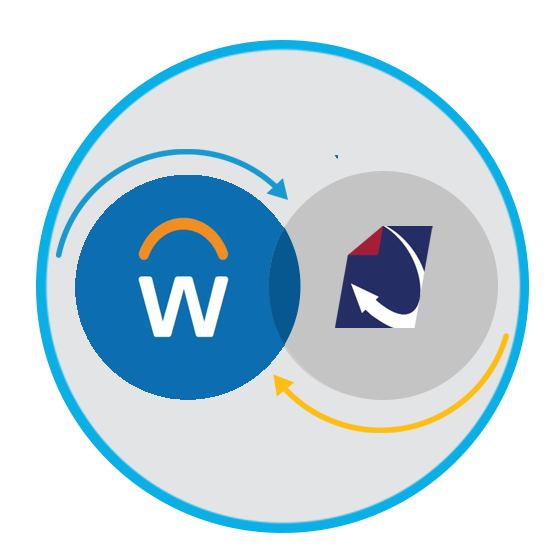
The DynaFile Workday integration connects Workday employee information with secure HR document management software. Together, the platforms help HR teams maintain organized digital employee files, reduce manual document handling, and improve audit readiness.
Workday supports employee data and HR processes. DynaFile provides a dedicated employee records platform for organizing, securing, and retrieving onboarding paperwork, signed acknowledgments, and ongoing personnel documents throughout the employee lifecycle.
Your HR Systems Manage People.
DynaFile Manages the Employee Record.
DynaFile complements Workday HCM with a dedicated employee records platform. HR teams can organize documents into structured digital employee files, control access to sensitive information, and manage retention throughout the employee lifecycle. This keeps the supporting record connected to the people data in Workday.

Connecting Workday Employee Data with Complete Employee Files
Even with Workday HCM in place, employee documents may span multiple systems and storage locations. Common challenges include:
- Documents scattered across shared drives, inboxes, and paper files
- Manual downloading, uploading, and filing between systems
- Inconsistent document naming and organization across departments
- Difficulty identifying missing records or retrieving files for audits
- Sensitive documents shared without appropriate access controls
The DynaFile Workday integration helps connect employee information with structured, secure employee files, giving HR teams a more consistent way to organize and retrieve the documents associated with each employee.

The Solution: Connect Workday with DynaFile Employee Document Management
The DynaFile Workday integration connects employee information with a cloud-based document management system built for HR teams.
Together, the platforms support a connected approach:
- Workday manages employee data and HR processes
- DynaFile organizes, secures, and retains employee documents
- HR teams reduce manual filing and maintain more consistent employee records
With employee documents organized in DynaFile, authorized teams can retrieve the records they need for everyday HR requests, compliance reviews, and audits.

How the Workday and DynaFile Integration Works
The DynaFile Workday integration brings employee information and document management together. HR teams can organize supporting paperwork in digital employee files and use DynaFile to search, protect, and manage those records throughout the employee lifecycle.
1. Bring Employee Documents Together Alongside Workday
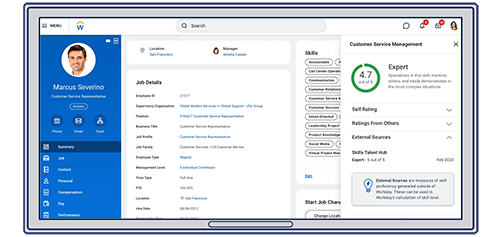
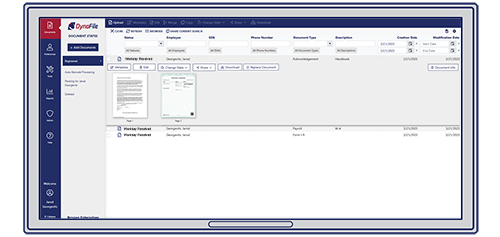
Workday manages employee information and HR processes. DynaFile provides a dedicated employee records platform for organizing the supporting paperwork. Documents are indexed by employee and document type, helping HR maintain searchable files for onboarding forms, signed acknowledgments, and ongoing personnel records.
3. Secure, Manage, and Retrieve Employee Records
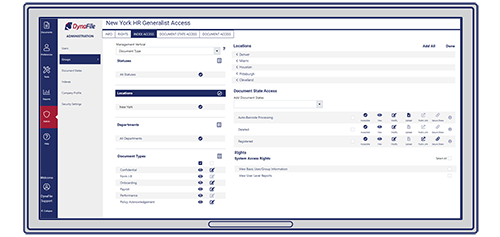
DynaFile provides role-based access controls and document-level permissions to protect sensitive employee information. Consistent indexing helps authorized HR teams quickly locate documents, while audit trails and retention tools support ongoing employee records management.
Download the Workday Integration Overview
See how DynaFile connects Workday employee information with automated document filing, secure employee records, and tools for retrieval, access control, and retention.


Automate Employee Document Workflows with Workday and DynaFile
With the DynaFile Workday integration, HR teams can automate document filing across onboarding and ongoing employee records management, reducing manual work and keeping personnel files organized.
- New hire onboarding document filing: Automatically route completed onboarding paperwork, such as W-4 forms, I-9 documents, and direct deposit forms, from Workday into organized DynaFile employee files.
- Employee acknowledgment processing: File signed policy and handbook acknowledgments in the correct employee record without manual downloading or uploading.
- Offer letter and job description organization: Automatically index and file offer letters and job descriptions by employee and document type.
- Audit-ready employee file management: Keep onboarding forms, signed acknowledgments, and other personnel documents consistently organized and searchable for compliance reviews and audits.
- Document retention: Apply automated retention schedules in DynaFile so employee documents are retained and disposed of according to your organization’s policies.
- Annual policy acknowledgment tracking: Monitor required acknowledgments, identify missing records, and keep completed documents organized as policies are updated.

Put the Documents Behind Your Workday Employee Data to Work
Connecting Workday with DynaFile helps teams retrieve and manage the supporting employee documents they need for daily HR service, records oversight, and compliance reviews.
- HR service teams: Respond to employee requests with quick access to offer letters, signed acknowledgments, and other personnel documents.
- Onboarding teams: Keep new hire paperwork organized in each employee’s file, reducing time spent collecting and sorting documents.
- HR business partners: Retrieve documentation for employee changes, policy questions, and personnel reviews within their assigned access permissions.
- Compliance and records teams: Locate documents for audits and internal reviews, with audit trails and retention tools supporting ongoing oversight.
- HRIS administrators: Maintain Workday’s role in employee data management while using DynaFile to organize and control access to the supporting records.



Extend Your Workday Environment with Flexible Employee Records Management
Keep Workday at the center of employee information and HR processes while using DynaFile to manage the supporting documents. Shape your digital employee files around the records your organization needs to organize, protect, and retain.
- Define your employee file structure: Organize onboarding, policy, and personnel documents using indexing fields and document categories that reflect your records requirements.
- Set access around responsibilities: Give authorized users access to the employee files and document types they need for their work.
- Manage document retention: Use DynaFile retention schedules to apply your organization’s policies throughout employment and after separation.
As document requirements change, DynaFile gives HR a flexible way to manage employee records alongside Workday, including documents collected from other HR systems and workflows.
Frequently Asked Questions About the Workday Integration
Q: What does DynaFile add to Workday HCM?
A: DynaFile adds dedicated HR document management alongside Workday’s employee data and HR processes. The integration helps HR teams organize onboarding paperwork, signed acknowledgments, and ongoing personnel documents into secure, searchable employee files. DynaFile also provides access controls, audit trails, and retention tools for managing the employee record.
Q: How do Workday and DynaFile work together?
A: Workday manages employee information and HR processes. DynaFile complements that environment with a dedicated employee records platform for organizing, protecting, and retrieving supporting documents. HR teams continue using Workday for HR operations while managing employee paperwork in DynaFile.
Q: What onboarding documents can HR teams manage in DynaFile?
A: HR teams can organize offer letters, W-4 forms, I-9 documents, direct deposit forms, and signed policy or handbook acknowledgments in DynaFile. Documents are indexed by employee and document type so authorized users can find the paperwork needed for onboarding reviews, employee requests, and audits.
Q: Does DynaFile replace Workday?
A: No. DynaFile complements Workday. Workday remains your system for employee data and HR processes, while DynaFile manages the associated employee documents. Together, they connect people information with structured digital personnel files throughout the employee lifecycle.
Q: How does the Workday integration improve audit readiness?
A: The integration helps keep employee documents consistently organized and associated with the correct employee record. DynaFile combines searchable indexing, audit trails, retention schedules, and access controls so authorized HR teams can retrieve records efficiently during audits and compliance reviews.
Q: How does DynaFile protect sensitive employee documents?
A: DynaFile uses role-based access controls, document-level permissions, and secure cloud infrastructure to protect employee records. HR teams can restrict access to sensitive document categories and give authorized users access to the files they need. Audit trails provide visibility into document activity.
Using Workday?
Bring Your Employee Documents Together.
See how DynaFile connects with Workday to automate HR document filing, centralize employee records, and give your team secure access to the documents they need.
Schedule a personalized demo focused on your Workday environment and employee document workflows.