• Skip to primary navigation
  • Skip to main content
  • Skip to footer

Top Header bar

(888) 510-3453 [email protected] DEMO DYNAFILE
DynaFIle

DynaFile

Scan to Cloud HR Document Management Solutions

  • Tour
  • Solutions
    • Human Resources
      • Electronic Employee Onboarding
      • Electronic Employee Files
      • HR Employee File Management
    • Education
      • Electronic Education Onboarding
      • Electronic Education Files
      • Education File Management
    • Healthcare
      • Electronic Healthcare Onboarding
      • Electronic Healthcare Files
      • Healthcare Filing Management
    • Accounting
    • Contract Management
    • Manufacturing & Distribution
    • Real Estate
    • Staffing
    • Other Solutions
  • Features
    • Meet AIDI
    • Cloud Workflows
      • Electronic Signatures
      • Secure File Sharing
      • Version Control
    • Cloud Storage
      • Document Indexing
      • Document Retrieval
      • Segmented Access
      • Drag and Drop Drive
    • Scanning Automation
      • Barcode Recognition
      • Batch Processing
    • Automated Onboarding
    • Seamless Integrations
  • Compliance
  • Integrations
    • Paylocity
    • PandaDoc
    • DocuSign
  • Resources
    • Case Studies
    • ROI Calculator
    • Press Releases
    • HR Guides
      • HR DMS Buyer’s Guide
      • Cloud-Based HR Document Management
      • HR Records Management Best Practices
      • Onboarding with Cloud HR Filing
      • Document Storage vs. Management
      • Digitize HR Paper Files
      • HR Compliance Checklist
    • Blog
    • FAQs
  • Company
    • Advocacy Program
    • Customers
    • Partners
    • History
    • Careers
    • Contact Us
    • Security & Certifications

Workflow Integrations

Top 5 Features You Need in Your HR Document Management System for 2025

December 10, 2024 by Andrew Roberts

Future-Proof Your HR Team: Discover the Must-Have Features of a Modern Document Management System for 2025


Top 5 Features You Need in Your HR Document Management System for 2025

As we approach 2025, HR professionals are under more pressure than ever to streamline processes, ensure compliance, and create efficient systems that support their organization’s growth. A modern HR document management system is no longer optional—it’s a critical tool for success.

Here’s a closer look at the top features every HR team needs to future-proof their document management strategy and set their organization up for success in the coming year.


1. Cloud-Based Centralized Storage

Gone are the days of filing cabinets and scattered digital folders. A cloud-based HR document management system offers a centralized hub for all employee records. With secure, scalable storage, your team can quickly retrieve important files, regardless of location.

Why It Matters:
Hybrid and remote work environments demand seamless access to records. Centralized storage eliminates time wasted searching across multiple systems, ensuring your HR team stays productive and responsive.

2. Automated Compliance Tools

Navigating regulations like HIPAA, FERPA, and GDPR can be daunting. Built-in compliance features, such as automated retention schedules and detailed audit trails, take the guesswork out of recordkeeping.

Key Retention Requirements:

  • EEOC: Retain employment records for at least one year after termination.
  • FLSA: Keep payroll records for three years.
  • OSHA: Maintain workplace injury records for five years.

Why It Matters:
Automating compliance ensures your organization avoids costly fines and stays audit-ready without manual tracking.

3. Advanced Search and Indexing

Imagine searching for a specific employee file and finding it within seconds. Advanced search capabilities, combined with metadata tagging, make this a reality. Search by employee name, document type, or date with ease.

Why It Matters:
Studies show employees can spend an average of 2 hours per day searching for documents. An efficient search tool saves HR teams significant time, allowing them to focus on more strategic initiatives.

4. Role-Based Access Control

Protecting sensitive employee information is a top priority, especially as data privacy regulations become stricter. Role-based access permissions ensure that only authorized personnel can view specific records, safeguarding confidential data.

Why It Matters:
Complying with data protection laws like GDPR and HIPAA requires secure systems. Role-based access minimizes the risk of breaches and ensures compliance with privacy standards.

5. Workflow Automation

From onboarding to performance reviews, HR workflows can be time-consuming. Automating these processes eliminates redundancies and ensures consistency across your organization. For example:

  • Collect and store new hire paperwork digitally.
  • Automatically notify HR staff when retention periods expire.
  • Streamline approval processes for performance reviews.

Why It Matters:
Workflow automation saves time and reduces the risk of errors, empowering your HR team to focus on strategic goals.

How Technology Elevates HR Records Management

Modern employee file management systems, like DynaFile, offer all these features and more. By integrating advanced technology into your records management strategy, you can:

  • Enhance Efficiency: Automate repetitive tasks and save hours each week.
  • Boost Compliance: Meet regulatory standards effortlessly with built-in retention policies and audit trails.
  • Scale Seamlessly: Adapt your system as your workforce grows, ensuring long-term efficiency.

Next Steps: Build Your Future-Ready HR System

As 2025 approaches, it’s time to evaluate your current HR document management system. Does it provide the tools you need to succeed in today’s fast-paced business environment? If not, consider upgrading to a modern solution that empowers your team to work smarter, not harder.

Ready to transform your HR processes? Schedule a demo and learn more about DynaFile’s Solutions.

Filed Under: Cloud Storage, Electronic Filing, Paperless Onboarding, Record Compliance, Scanning Automation, Workflow Integrations

Unlock Efficiency: How Modern HR Teams Master Records Management

December 4, 2024 by Andrew Roberts

Streamline Your HR Processes with Modern Records Management Practices That Save Time, Ensure Compliance, and Support Your Team’s Success.


How Modern HR Teams Master Records Management

In today’s fast-paced business world, HR teams face growing challenges in managing employee records efficiently while ensuring compliance with ever-evolving regulations. Traditional paper systems and disorganized digital workflows are no longer enough to keep up.

So, how can HR professionals transform their processes to save time, reduce risks, and support organizational goals? By embracing modern records management practices that integrate automation, compliance, and accessibility.


Why Effective Records Management Matters

A solid records management system is more than just an organizational tool—it’s a business imperative. Here’s why:

  1. Improved Employee Experience
    Transparent and well-organized records support employee trust, especially during processes like onboarding, performance reviews, and benefits administration.
  1. Compliance with Confidence
    Regulations like HIPAA, FERPA, and GDPR require strict control over employee data. Automating retention schedules and securing records ensure compliance while reducing the risk of penalties.
  1. Time-Saving Solutions
    Did you know employees can spend an average of 2 hours per day searching for documents? With modern tools like advanced indexing and search functionality, HR teams can reclaim valuable hours each week.

Challenges of Legacy Systems

Outdated systems come with significant drawbacks, including:

  • Disorganized Storage: Physical filing systems and fragmented digital workflows waste time and resources.
  • Compliance Gaps: Manual tracking of retention periods increases the risk of non-compliance.
  • Limited Accessibility: HR teams need immediate access to records, especially in hybrid and remote work environments.

How to Build a Modern HR Records Management System

Transforming your HR records filing system begins with strategic planning and the right tools. Here are three steps to get started:

  1. Digitize Your Records
    Transition from paper files to digital archives using tools like barcode scanning and batch processing. This saves space, reduces manual errors, and makes documents searchable.
  2. Automate Workflows
    Streamline processes like onboarding, compliance tracking, and document retention with automation. Set rules for file retention and deletion to ensure compliance without added effort.
  3. Secure and Centralize Access
    Use role-based permissions and encryption to protect sensitive employee information. Centralized cloud storage ensures HR teams can access files anytime, anywhere.

The Benefits of Going Digital

Embracing modern employee document management practices offers significant advantages, including:

  • Audit-Ready Files: Automated audit trails make compliance effortless.
  • Cost Savings: Reduce expenses on physical storage, printing, and administrative tasks.
  • Scalability: Digital systems grow with your organization, ensuring efficiency at every stage.

Future-Proof Your HR Team

Effective records management is no longer optional—it’s a necessity for organizations looking to remain competitive and compliant. By adopting modern practices and leveraging the right tools, HR teams can focus on what matters most: supporting their employees and driving business success.

Want to Learn More?

Explore how solutions like DynaFile empower HR teams to streamline workflows, ensure compliance, and build scalable records management systems. Schedule a demo today and unlock HR efficiency.

Filed Under: Digital Transformation, Electronic Filing, Workflow Integrations

Can 15 Minutes Transform Your HR and Help You Start 2025 Strong?

November 12, 2024 by Andrew Roberts

From Paperwork Headaches to Digital Harmony—See the Power of DynaFile


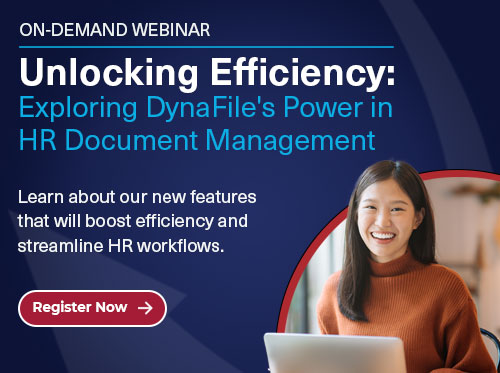
15-minute DynaFile HR transformation webinar

Are you ready to unlock a simpler, faster, and more secure way to manage HR documents? Join us for a powerful 15-minute on-demand webinar, “Unlocking Efficiency: Exploring DynaFile’s Power in HR Document Management,” and see how DynaFile can revolutionize your workflows. In just a quarter-hour, we’ll show you how DynaFile’s advanced tools can transform your HR department from a paper-filled maze to a digital haven of streamlined, efficient operations.


What You’ll Learn in Just 15 Minutes

Enhanced Efficiency with Barcode Recognition and HRIS Integration

Imagine saying goodbye to hours of manual data entry! Our barcode recognition technology categorizes and organizes files automatically, allowing you to find documents in seconds. With seamless HRIS integration, DynaFile lets you sync employee records in real time, creating a centralized workspace for all your essential documents.

Improved Security for Peace of Mind

DynaFile prioritizes data security with features like customizable user permissions, encrypted file sharing, and detailed activity logs. Feel confident knowing your sensitive documents are safe, compliant, and audit-ready.

A Workspace Tailored to You

DynaFile’s customizable dashboards and flexible document-sharing options ensure that every HR task is accessible, organized, and easy to manage. Whether you need to share a single page or multiple documents, integrations with Microsoft 365 and Google Workspace make collaboration seamless.

Scalable Across Departments

DynaFile isn’t just for HR—our versatile solution supports legal, finance, and even student records, making it ideal for organizations with diverse document needs.

Why 15 Minutes?

Because we know that time is your most valuable resource, this concise webinar will give you the insights you need to make an informed decision and set your team up for success in 2025.

WATCH NOW

Filed Under: Digital Transformation, Electronic Filing, Record Compliance, Scanning Automation, Workflow Integrations

The Future of Document Management is Here: Discover DynaFile’s Latest Release

April 4, 2024 by Andrew Roberts

DynaFile Revolutionizes Document Management


The Future of Document Management is Here: Discover DynaFile's Latest Release

DynaFile once again set the benchmark with the release of its latest version, showcasing an array of features designed to revolutionize how we handle documents in the cloud.


A Leap Forward in User Experience

Imagine finding any document you need in seconds rather than minutes. DynaFile’s brand-new, super-intuitive search bar makes this a reality. Personalize your workspace with customizable columns, ordering, and sorting options to prioritize the information that matters most.

Adding documents is now a breeze with drag-and-drop functionality. No more wrestling with complex upload processes – enhanced drag-and-drop features allow you to effortlessly add documents directly to employee folders. Innovative pre-population functionalities understand context and recognize unique values, making document addition and registration faster and more user-friendly than ever before. 


Collaboration and Sharing, Redefined

DynaFile’s update redefines how we collaborate and share documents. Control is in your hands with set expiration dates for shared links, ensuring you’re always in command. The ability to share specific document pages as attachments or convert to PDF for sending enhances focus and collaboration. Imagine seamlessly working with colleagues, even those outside the DynaFile ecosystem; this update makes it possible. To further cloud workflows, connect your DynaFile account to your Microsoft 365 or Google email for direct contact lookup and send emails directly from your own account.


Cloud Workflows Redefined: Share and Work Together Seamlessly

DynaFile fosters effortless collaboration with colleagues, both inside and outside your organization.

  • Set expiration dates for shared links for complete control over document access.
  • Share specific document pages to keep information focused and relevant.
  • Collaborate seamlessly with colleagues, even if they don’t have a DynaFile account.


Ready to Transform Your Document Management?

DynaFile’s latest update can revolutionize your document management. With enhanced user experience, streamlined document handling, and bolstered security and compliance features, DynaFile stands out as the quintessential solution for businesses looking to elevate their document management systems.


This latest release of DynaFile highlights our continued commitment to listen to the needs of our clients and continually innovate our platform to meet those needs, to streamline the user experience and to ensure compliancy with the ever changing security landscape.

Brian McCleary | DynaFile’s VP of Operations


Schedule a tour today and experience:

  • Enhanced Productivity: Find what you need faster than ever before.
  • Improved Collaboration: Work seamlessly with your team.
  • Unmatched Security: Keep your documents safe and sound.

Read the Press Release >

Filed Under: Cloud Storage, Digital Transformation, Electronic Filing, Workflow Integrations

Fisher Phillips Goes Paperless: How DynaFile Streamlined HR

March 19, 2024 by Andrew Roberts

Fisher Phillips HR Digital Transformation


Fisher Phillips HR Digital Transformation

In today’s competitive business environment, efficiency is key. Fisher Phillips, one of the nation’s leading labor and employment law firms, faced a challenge: their paper-based HR system was time-consuming and cumbersome. With over 500 attorneys across 41 offices, managing employee onboarding and offboarding paperwork manually was a significant bottleneck.


The Challenge:

  • Inefficient paper-based system: Producing, sending, and filing paperwork for new hires and existing employees was a slow and manual process.
  • Prone to errors and delays: The manual system increased the risk of mistakes and delayed processing times.


The Solution: DynaFile

  • Seamless paperless workflow: DynaFile allowed Fisher Phillips to create, update, and access employee files electronically.
  • Drag-and-drop functionality: Updating employee files became effortless and efficient.
  • Secure file sharing: Employees and authorized personnel can access and share files securely from anywhere.
  • DocuSign integration: Onboarding documents are automatically uploaded to DynaFile after being signed electronically, saving time and effort.


The Results:

  • Saved time and money: Eliminated manual filing, reduced paper costs, and improved overall HR efficiency.
  • Improved employee experience: Streamlined the onboarding process and made access to employee files easier.
  • Enhanced compliance: Easier document retention and audit trails ensured adherence to regulations.
  • Reduced storage needs: No more physical file rooms needed!


Fisher & Phillips’s journey to a paperless HR system with DynaFile is a powerful example of how technology can revolutionize business processes. By embracing digital solutions, they have saved time and money and improved efficiency and employee experience.


Having our employee files stored securely and electronically was invaluable to our team during the pandemic. It allowed us to access our files at any time and from any place without having to travel to a physical location to retrieve them.

Aimee Frey | Director of HR Technology & Analytics

GET THE CASE STUDY


Get Started Today!

Ready to upgrade your filing solution?  Schedule a tour and take your document management to the next level.

Filed Under: Digital Transformation, Paperless Onboarding, Workflow Integrations

Benefit from Cloud HR Workflows in 2024

February 2, 2024 by Andrew Roberts

Boost Efficiency by Automating Human Resources Operations with Cloud Employee Filing Solutions


Benefit from Cloud HR Workflows in 2024

Understanding Cloud HR Workflows

Cloud HR workflows represent a modern HR document management and employee filing approach. These workflows leverage cloud-based employee filing solutions, offering features like secure file storage, scanning automation, effortless document retrieval, and streamlined new-hire process through integrations with e-signature and onboarding platforms to create end-to-end electronic workflows. This modern approach ensures that HR operations are simplified and efficient, providing secure and immediate access to essential documents.


Advantages of Cloud Workflows in HR

One of the key advantages of cloud workflows in HR is the reduction of errors and increased accuracy through oversight with audit trails and document version history. These cloud workflows also integrate seamlessly with HRIS, HCM, and other HR systems, centralizing documents into a secure indexed cloud document management system. Additionally, they enhance employee record compliance and make audits a breeze with real-time reporting, secure file sharing, and role-based controlled access, contributing to improved operational efficiency and data security.


Key HR Processes Benefitting from Cloud Workflows

Cloud HR workflows significantly benefit key processes such as employee onboarding, policy and employee handbook acknowledgments, and document storage. For example, cloud workflows streamline the onboarding process by automating document collection, review, and electronic signatures, improving efficiency and creating a seamless electronic onboarding experience for new employees. Furthermore, these workflows ensure that policy and employee handbook acknowledgments are easily managed and documented, reducing administrative burdens and enhancing compliance.


Future Trends in HR Technology and Cloud HR Workflows

In 2024, the adoption of cloud HR software is a vital trend, emphasizing the need for a resilient and future-proof HR system. DynaFile’s cloud-based document management solution aligns with this trend, providing essential features to streamline HR operations and improve the employee experience. Future trends in HR technology also highlight the increasing focus on change management and the adoption of new HR software, reflecting the continuous evolution of HR practices and technologies.


Benefits of Upgrading HR Software

Organizations should consider upgrading their HR software to cloud-based solutions like DynaFile if they experience consistent compliance errors and lack features to satisfy their business goals. The benefits of upgrading and automating Human Resources operations with cloud employee filing solutions include time and money savings through automation and actionable insights for improving personnel and company processes. By embracing cloud-based employee filing solutions, organizations can future-proof their HR operations and adapt to the evolving technological landscape in 2024 and beyond.

Adopting cloud HR workflows will benefit HR operations in 2024, empowering organizations to streamline processes, enhance data security, and improve overall efficiency. DynaFile’s cloud-based document management solution provides a comprehensive platform to meet the evolving needs of HR departments.

  • Centralize employee and student files through scanning automation and integrations with HRIS & HCM.  
  • Manage and access your secure, cloud-based files from anywhere.
  • Seamlessly integrate with top e-signature and onboarding platforms to optimize new-hire workflows.
  • Enjoy cloud workflows with indexed filing, secure sharing, and version control.
  • Simplify audits with customized reports and segmented access for secure document sharing with auditors.

Are you ready to empower your team with industry-leading document management solutions and experience cloud HR workflows that transform employee filing? Schedule a demo today and learn why successful HR leaders have trusted DynaFile as their employee file management solution for over 20 years.

Filed Under: Cloud Storage, Digital Transformation, Electronic Filing, Paperless Onboarding, Workflow Integrations

  • « Go to Previous Page
  • Page 1
  • Page 2
  • Page 3
  • Page 4
  • Page 5
  • Go to Next Page »

Footer

dynafile-footer

Dynafile gives your teams secure, immediate access to the documents they need, with automated scanning, effortless retrieval, refined segmentation, onboarding integrations, and customized compliance reporting in the cloud.

DEMO DYNAFILE
  • Company
    • Tour
    • Customers
    • Partners
    • Careers
    • Contact Us
    • Compliance & Certifications
    • Advocacy Program
    • Cookie Policy (EU)
  • Features
    • Meet AIDI
    • Cloud Workflows
    • Cloud Storage
    • Scanning Automation
    • Automated Onboarding Integrations
    • Seamless Integrations
  • Solutions
    • Human Resources
    • Education
    • Healthcare
    • Accounting
    • Contract Management
    • Manufacturing & Distribution
    • Real Estate
    • Staffing
    • Other Solutions
  • Resources
    • Case Studies
    • ROI Calculator
    • HR Guides
    • Press Releases
    • Blog
    • FAQs
© 2026 Blue Ribbon Technologies. All Rights Reserved. | Privacy Policy
Facebook linkedin youtube instagram twitter
  • Privacy Policy
  • Homepage
  • Landing Page
  • Tour
  • Solutions
    • Human Resources
    • Education
    • Healthcare
    • Accounting
    • Contract Management
    • Distribution
    • Real Estate
    • Staffing
    • Other Solutions
  • Features
    • Cloud Workflows
    • Scanning Automation
    • Cloud Storage
    • Automated Onboarding Integrations
    • Seamless Integrations
    • Meet AIDI – AI Document Intelligence by DynaFile
  • Company
    • Customers
    • Contact Us
    • Partners
    • Careers
    • History
    • Advocacy Program
    • Compliance & Certifications
  • Landing Page V1
  • Sandbox
  • Resources
    • Blog
    • FAQs
    • Press Releases
    • HR Guides
    • Case Studies
    • 2026 HR Challenges Research Study
    • ROI Calculator
  • DPA
    • 20211021
    • 20220722
  • Cookie Policy (EU)
  • DynaFile Quick Tour
  • Test Page
  • EULA
    • NPM
    • Page URL
    • URL
  • Explore DynaFile
  • DynaFile for HR
  • DynaFile for Education
  • Lead Referral Partner
  • DynaFile for Healthcare
  • Open Source
  • DynaFile for Manufacturing
  • Do More in Q4 WP Form Test
  • Calculator
  • Sitemap
  • 2025 HR Challenges Research Study Thank You
  • Home 2025 Backup
  • Compliance
  • Integrations
    • Paylocity
    • DocuSign
    • PandaDoc

  • Company
    • Tour
    • Customers
    • Partners
    • Careers
    • Contact Us
    • Compliance & Certifications
    • Advocacy Program
    • Cookie Policy (EU)
  • Features
    • Meet AIDI
    • Cloud Workflows
    • Cloud Storage
    • Scanning Automation
    • Automated Onboarding Integrations
    • Seamless Integrations
  • Solutions
    • Human Resources
    • Education
    • Healthcare
    • Accounting
    • Contract Management
    • Manufacturing & Distribution
    • Real Estate
    • Staffing
    • Other Solutions
  • Resources
    • Case Studies
    • ROI Calculator
    • HR Guides
    • Press Releases
    • Blog
    • FAQs
Manage Cookie Consent
To provide the best experiences, we use technologies like cookies to store and/or access device information. Consenting to these technologies will allow us to process data such as browsing behavior or unique IDs on this site. Not consenting or withdrawing consent, may adversely affect certain features and functions.
Functional Always active
The technical storage or access is strictly necessary for the legitimate purpose of enabling the use of a specific service explicitly requested by the subscriber or user, or for the sole purpose of carrying out the transmission of a communication over an electronic communications network.
Preferences
The technical storage or access is necessary for the legitimate purpose of storing preferences that are not requested by the subscriber or user.
Statistics
The technical storage or access that is used exclusively for statistical purposes. The technical storage or access that is used exclusively for anonymous statistical purposes. Without a subpoena, voluntary compliance on the part of your Internet Service Provider, or additional records from a third party, information stored or retrieved for this purpose alone cannot usually be used to identify you.
Marketing
The technical storage or access is required to create user profiles to send advertising, or to track the user on a website or across several websites for similar marketing purposes.
  • Manage options
  • Manage services
  • Manage {vendor_count} vendors
  • Read more about these purposes
View preferences
  • {title}
  • {title}
  • {title}