• Skip to primary navigation
  • Skip to main content
  • Skip to footer

Top Header bar

(888) 510-3453 [email protected] DEMO DYNAFILE
DynaFIle

DynaFile

Scan to Cloud HR Document Management Solutions

  • Tour
  • Solutions
    • Human Resources
      • Electronic Employee Onboarding
      • Electronic Employee Files
      • HR Employee File Management
    • Education
      • Electronic Education Onboarding
      • Electronic Education Files
      • Education File Management
    • Healthcare
      • Electronic Healthcare Onboarding
      • Electronic Healthcare Files
      • Healthcare Filing Management
    • Accounting
    • Contract Management
    • Distribution
    • Real Estate
    • Staffing
    • Other Solutions
  • Features
    • Meet AIDI
    • Cloud Workflows
      • Electronic Signatures
      • Secure File Sharing
      • Version Control
    • Cloud Storage
      • Document Indexing
      • Document Retrieval
      • Segmented Access
      • Drag and Drop Drive
    • Scanning Automation
      • Barcode Recognition
      • Batch Processing
    • Automated Onboarding
    • Seamless Integrations
  • Resources
    • Case Studies
    • Press Releases
    • HR Guides
      • HR DMS Buyer’s Guide
      • Cloud-Based HR Document Management
      • HR Records Management Best Practices
      • Onboarding with Cloud HR Filing
      • Document Storage vs. Management
      • Digitize HR Paper Files
      • HR Compliance Checklist
    • Blog
    • FAQs
  • Company
    • Advocacy Program
    • Customers
    • Partners
    • History
    • Careers
    • Contact Us
    • Compliance & Certifications

Cloud Storage

Break Down Your Record Silos to Improve HR File Management

February 23, 2016 by Andrew Roberts

HR file management can be a tricky situation when information is spread across the organization. Here’s how to consolidate for a more streamlined department.


HR file management woes? Learn how DynaFile streamlines HR by breaking down record silos. Achieve a centralized, integrated, and automated system for all employee files, ensuring efficiency, compliance, and cost savings. Experience the future of paperless HR. Reach out for a free demo!

Managing HR files on paper can be tricky. Because of this, many companies have started to move towards electronic personnel files. However, it is very common for a paperless project to be put on hold or stalled midway due to a variety of reasons. For these companies, HR file management can be a nearly impossible task. When employee information is spread across various HR, Payroll and home-grown systems; files are all of a sudden stored in a mix of filing cabinet folders, computer desktops and email inboxes. With all of this important information stored in various silos, it’s no wonder HR has a hard time managing personnel files. Here’s how to break the HR record silos.

Finding an HR file management solution

The key to breaking down record silos and improving HR file management lies in choosing an appropriate solution. There are many, many file management options on the market, but some will work better for Human Resources than others. When looking at different HR file management solutions, it is important to consider their ease of:

  • Converting existing paper files
  • Managing miscellaneous paper on an ongoing basis
  • Adding electronic documents to an employee’s folder
  • Document retrieval
  • Access from different office locations
  • Connecting with your existing systems
  • Replacing paper workflows with electronic ones
  • Keeping track of files

Although these are just some of the factors to consider when choosing an HR file management solution, they are at the top of the list regarding importance for most organizations. It may be useful to compile your own list specific to your teams needs to aid in your search as well.

The cornerstone of HR information

It is important to remember that your HR file system really is the central location for your HR related information. When browsing different solutions, ensure that your system of choice allows your team to add information from existing systems, emails, computer files and paper documents from all of your office locations. You should have the ability to:

  • Automatically file completed new-hire documents from your Onboarding system
  • Add tax and pay information from your Payroll system
  • Sync with your HRIS for status and name change updates
  • Drag-and-drop electronic documents directly into an employee’s folder
  • Add paper documents to an employee’s folder

This allows your team to quickly and easily add information to an employee’s electronic file from any system, from any location, at any time. Just imagine how quickly you can consolidate all of that information and break down your record silos when all of your documents have a central storage area.

Keeping your files organized and HR streamlined

Once your HR file system is in place, it’s time to think about automation and integration. Many times you can replace your pen-and-paper workflows with electronic ones. A great place to start is your onboarding process. If you don’t have an onboarding solution in place already, it may be worth a look as you can eliminate much of the paper being generated in HR right off the bat. When integrated with your HR file system, completed onboarding forms can be automatically filed in a new hire’s folder once they have filled out and signed everything.

Another important automation feature of HR file management software is the ability to keep track of information in employees’ folders. You can create custom audit reports that will notify you in case an employee is missing documents from their folder. Each week your team can receive an automated email that will tell you which employees are missing a required document from their folder and which employees have a time-sensitive document coming up for renewal. In this way, your HR file system ensures that you’re always prepared for a file audit with complete and up-to-date personnel folders.

Break the HR record silos with DynaFile

DynaFile is a paperless HR solution that helps consolidate employee information and streamline the entire department. Our software has helped companies break down their HR record silos for over 15 years; allowing our customers to cut costs, improve compliance and achieve a higher level of efficiency. With DynaFile you can take your existing paper files digital fast and then easily consolidate employee documentation from anywhere. Integration with popular Onboarding, HRIS, ATS and Payroll solutions gives your team the opportunity to sync systems for reduced redundancy and simplified workflows. At DynaFile, we are your paperless HR experts. Contact us today for more information and a free demo!

Filed Under: Cloud Storage, Electronic Filing

3 Great Benefits of Scan to Cloud Document Management

February 18, 2016 by Andrew Roberts

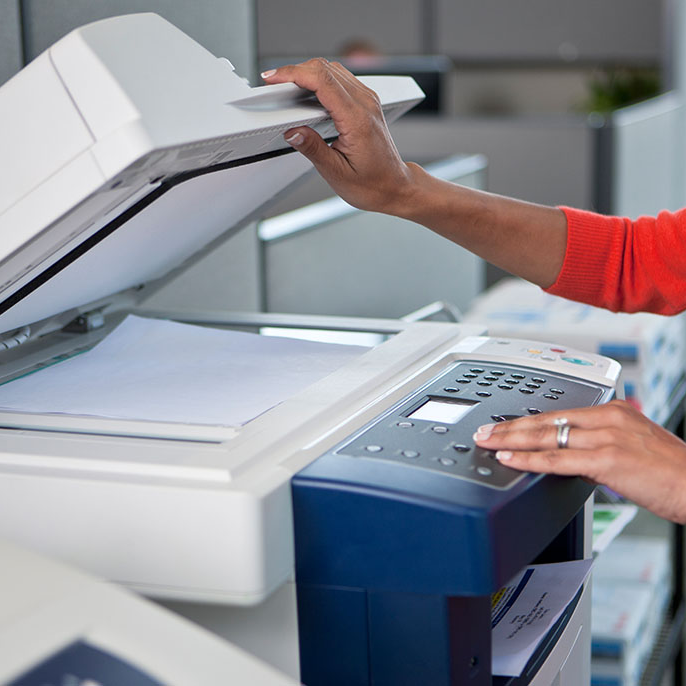
Scan To Cloud Document Management: Take your files digital, but still manage your paper files with ease.


Transform your business with DynaFile's Scan to Cloud Document Management. Experience the benefits: reclaim office space, bolster document security, and promote environmental sustainability. Embrace a digital, efficient, and green future. Dial (888) 510-3453 for a free demo!

No matter the size of your business, there are always ways to become more efficient and reduce costs. One way to achieve a higher level of efficiency and save money is by digitizing your paper documents. Scan to cloud document management is an ideal solution for businesses that are coming from a paper-based filing system or for offices that typically deal with files in mixture of paper and electronic formats. Here are a few benefits to consider.

Regain Office Space

Scan to cloud document management can greatly reduce the amount of paperwork that is stored in filing cabinets by helping you automate the conversion process. Scan to cloud filing solutions allow you to take an entire department paperless quickly and easily. By reducing the number of required filing cabinets, you can free up a ton of office space. With more office space, you can now add additional workstations or decrease clutter to improve working conditions.

Improved Document Security

Paper documents are at risk of being damaged, stolen, or destroyed. Electronic documents can be stored safer with various levels of security built-in. With scan to cloud document management, your paper files are converted to electronic format and stored securely in an online filing system. This system can be password protected, automatically encrypt your documents, include segmented access for different types of users and more. Digital documents are also backed up on a regular basis which is a huge benefit if there is ever a major disaster. Downtime is also minimized as you and your staff have access to business data from any device with an internet connection.

Better for the Environment

As you utilize scan to cloud document management and your files become more and more digitized, you can eventually become a paperless office. This reduces costs typically associated with paper, printing, copier, folder, cabinet storage and other file supplies. In addition to saving your budget some green, your company becomes greener as well. Paperless offices help the environment as there is less waste and no need to physically transport documents which can reduce your carbon footprint.

Would you like to learn more about scan to cloud document management? Contact us today for more information. DynaFile’s unique scan to cloud document management solution has been helping companies go paperless and manage their files more efficiently for over 15 years. Give us a call at (888) 510-3453 or sign up for a free demo to learn more.

Filed Under: Cloud Storage, Electronic Filing, Scanning Automation

Is Paperless HR Software Right for My Company?

February 2, 2016 by Andrew Roberts

Taking your Human Resources department paperless can bring a multitude of benefits. Here are the types of companies that will see the highest ROI from paperless HR software.


Considering a paperless transformation for your HR? Discover the advantages and efficiencies of paperless HR software. From multi-location accessibility to automated audits, DynaFile streamlines HR tasks. Find out if your company can maximize ROI from this digital transition. Request a free demo today!

As HR technology improves, more and more companies are taking their Human Resource departments paperless. Going paperless can open up a world of unexpected improvements in efficiency and organization. However, moving away from a time-tested system for storing and managing your critical staff information can seem daunting. Will a paperless office work for my HR department? Here are the types of companies that can benefit the most from to paperless HR software.

Paper filing system or network file share

Paper filing system are extremely tough to manage. Keeping your files organized in an overflowing filing cabinet is never an easy task. This makes finding a critical document a time-intensive and stressful operation. Plus, when it comes time to audit your personnel files, manually combing through all of those folders can be brutal. Paperless HR software can help eliminate these pain points as you’ll later in this article.

Network file shares offer easier access, but come with their own problems. Converting your files and adding them to the file share is a tedious, multi-step process. Part of this process is adhering to strict naming conventions and ensuring that every single document is filed in the correct location. The problem is that some documents will inherently be filed incorrectly, making them very difficult to find down the line. Finally, unlike paperless HR software, most network file shares do not offer the level of security required to be considered a HIPAA-compliant storage solution.

High turnover or rapid expansion

Companies with a seasonal workforce often have a high turnover rate. If your company has a high turnover rate or is in a stage of rapid expansion, it’s critical to have an efficient way for onboarding new employees and maintaining file retention. Paper onboarding packets are bulky to deal with and take a lot of time away from both your HR team and your new hire. Both of these things equate to high costs. Additionally, managing file retention requirements can be a nightmare when there are always new employees being added to the team.

With paperless HR software, employee onboarding can become completely electronic. Digital forms, esignatures and online workflows replace pen-and-paper processes. Signed and completed forms can be automatically filed in the new hire’s folder automatically. Best of all, retention requirements can be completely automated. For example, you can set the system to automatically delete an employee’s personnel record 3 years after termination, but to keep their I-9 form on file for 7 years. 

Multiple office locations or remote staff

When you have staff working out of multiple office locations or working remotely, getting critical information back and forth can be a challenge on paper. Over-nighting is slow and costly, but emailing can throw up a compliance flag. Paperless HR software allows your team to streamline the sharing of information.

With your personnel files stored in the cloud, your staff can access the information they need from anywhere at any time. You can use segmented access permissions to ensure different types of employees can only access the types of files and folders that they are authorized to see. So, for example, you can rest easy knowing managers can view Time & Attendance information for just their own staff, but all other documentation in the system is hidden from them.

Frequent audits on employee files

An HR audit can be one of the most time-consuming projects of the year. Combing through each individual’s personnel record to ensure everything is in there is an extremely taxing process. Unfortunately, it is also completely necessary to ensure your company maintains compliance with regulations laid out in HIPAA, HITECH, etc.

One of the best things about paperless HR software is the ability to run automatic audit reports. Instead of going through every single folder in your filing cabinet, simply run an automated report to tell you which employees are missing required documents and which employees have a time-sensitive document expiring in the near future. These audit reports can replace your manual audits and become your automatic audit protection.

Furthermore, since all of your files are electronic, you can actually make them available to your auditor no matter where they are located. That’s right, there is no longer any need for your auditor to come on-site to conduct their audit. Simply make the files and folders they request available to them through your paperless HR software.

Annual acknowledgments or contracts

Similar to the employee onboarding process, getting your annual acknowledgments or contracts filled out and signed on paper can be a true challenge. Paperless HR departments can use the same electronic onboarding process to get many other types of forms and documents completed as well. Offer letters, PTO requests, annual policy acknowledgements and more can all be completed using the same process.

Learn more with our Free Paperless HR Guide

Would you like to learn more about paperless HR software? Download our free Paperless HR Guide. In this guide we will explore:

✅ Companies that will see the highest ROI
✅ Time and cost benefits to be expected
✅ Paperless strategy design
✅ Differences in paperless HR solutions
✅ How to go paperless fast

DynaFile’s Paperless HR Solution

DynaFile is paperless HR software that has been helping companies improve efficiency for over 15 years. Unique scanning automation features allow your team take the entire department paperless fast. Going forward, online workflows replace traditional pen-and-paper processes like employee onboarding. Advanced security features give your team full control of access permissions for different kinds of staff and for specific types of folders and documents in employee files. If you’re looking to move to electronic personnel files, DynaFile is an easy-to-use HR solution that is as powerful as it is practical. Contact us today for more information and a free demo.

Filed Under: Cloud Storage, Electronic Filing, Record Compliance

Keep Your Important Documents Secure and Out of the Hands of Hackers

June 25, 2015 by Andrew Roberts

Experts advise using a cloud document management solution to keep files secure and off of local drives targeted by ransomware.


Ransomware attacks are rising, putting your valuable documents at risk. Shield your data from hackers with our cutting-edge cloud document management solution. Prioritize security, prevent potential losses, and safeguard your business. Act now to ensure your files stay protected. Contact us for a safer tomorrow.

Hackers make headlines in America yet again. From recent past attacks on Home Depot, Target, and Sony, to the new breach on Anthem Blue Shield, and Ransomware, they’re getting in and getting information one way or another. They’re going after files, credit card numbers, social security numbers, emails, phone numbers, entire computers, tax records, income reports, and home addresses. With these new threats, having a secure document management solution in place is key for all businesses.

The new type of malware called Ransomware is currently adversely affecting at least one million Americans. From small businesses to government agencies, these hackers are not limiting their sights. The hackers break into company computers via email. They send out an email claiming to be a trusted organization like the DMV or a health company to get people to open the email. They then trick the users into downloading a file, and at that point they’re in. Once they have the files, they hold the computer ransom until they are paid the said amount in the specified window of time they’ve provided. 

“Ransomware is a growing Internet scam that preys on fear. The online shakedown uses sophisticated methods to hold data hostage unless the user pays a fee of up to six hundred dollars. Bruce Snell of McAfee Security offers consumer tips on how to avoid ransomware attacks: Think before you click. If something looks suspicious or too good to be true, it is probably best avoided. Don’t click on unexpected links or attachments in e-mails. If a friend sends an e-mail with an attachment out of the blue, contact that person directly to make sure he actually sent it. A quick phone call or text message asking “Did you send me a file?” will do wonders for keeping you safe,” CNN.

Some companies have lost years worth of files. Eric Young of Tennessee said, “We had 72 hours and, as he tried to find solutions, the cyberthieves were slipping into every company computer — starting with Victim No. 1 and ending in the company’s servers. Our database was encrypted, and we lost everything we had built for 14 years,” NPR.

Security experts also believe that by paying the ransomers are only making the situation worse. However, it is unknown what the hackers will do with the files and information if the owner does not pay up. It’s likely that people who don’t pay the thieves will end up suffering from identity theft down the road. However, for those businesses that have taken the time to store data else where, document retrieval is possible and can save the important files despite losing computers. Experts advise using external hard-drives, a cloud document management solution, and being sure to properly disconnect computers from the hard-drives as good ways to prevent losing information.

Prevention is worth its weight in gold, and experts suggest large companies focus far more efforts on keeping their data secure than they have been. Don’t lose years of important data, documents, and files because you are hacked. Please contact us to get your data in a secure environment before it is too late.

Filed Under: Cloud Storage, Electronic Filing

Online HR Filing Cabinet Makes Employee File Management Easy

June 18, 2015 by Andrew Roberts

Storing employee files on paper is a thing of the past. An online HR filing cabinet makes managing files easy.


Move beyond traditional paperwork and step into the future with our Online HR Filing Cabinet. Easily manage personnel files, ensure security, and streamline HR processes. Discover how DynaFile’s paperless HR solution can revolutionize your department. Contact us for a demo and embrace efficiency.

Most Human Resources departments have huge amounts of paperwork and many HR professionals spend a lot of time processing personnel documents. An average personnel file contains more than 40 different records. The moment a prospective employee fills out an application for a job at your company; their employee file begins and continues to grow throughout their career. The volume of files and information for each employee can be overwhelming. Storage and management of personnel documents in paper format is no longer a sustainable option for most HR departments.

An online HR filing cabinet is an excellent system that Human Resource departments can use to go paperless. Scanning automation tools scan, index and file documents in the correct location, in a secure virtual cabinet. You can access it from almost anywhere and share files as needed. It is a centralized electronic cabinet for storing personnel files that allows your team to reach the files they need quicker.

Streamlining: Scanning automation transforms your paper files to electronic format quickly and easily. Your staff can then virtually print or save documents into an employee’s folder from any application they are working in. Online forms, electronic signatures and automated workflows let you take your pen-and-paper processes like employee onboarding completely paperless.

Secure Storage: Online filing keeps your information safe. The documents are stored offsite and automatically backed up. You can add custom document control for specific users to make sure that only authorized individuals view important data. A bonus feature is you can securely share files by using encrypted document links instead of unsecured, bulky e-mail attachments.

Are you interested in an online filing cabinet for your HR department? DynaFile’s paperless HR solution allows you to take the entire department paperless fast. From there, stay paperless by taking your pen-and-paper processes to the cloud. DynaFile provides easy file management, automatic audit reports, paperless onboarding and more. Contact us today for more information and a free demo.

Filed Under: Cloud Storage, Electronic Filing, Scanning Automation

How to Organize Electronic Files with an Indexed Filing System

May 5, 2015 by Andrew Roberts

Keeping your files organized is tough! Here is how to organize electronic files using an indexed filing system.


Organize your electronic files effortlessly with an indexed filing system. From instant retrieval and controlled access to robust reporting, see how DynaFile transforms file management. Dive into efficient, organized, and secure storage. Reach out for a comprehensive demo today.

Changing over to a paperless office can be beneficial for both your business and your clients. Attempting to keep hard copies of business records reduces your ability to keep company and customer data controlled and secured – not to mention the looming threat of those files being lost or destroyed. By having an electronic system that can provide secure storage as well as improve operational efficiency through saving time and space, you can create a positive impact on your bottom line. Record management success is achieved by using an indexed filing system that knows exactly how to organize electronic files efficiently. Here are 4 reasons why an indexed filing system is key to keeping your electronic files organized.

Instant Retrieval

Indexed filing systems utilize metadata properties to categorize or classify the documents you store inside. These metadata index values allow documents to be filed automatically and retrieved rapidly. Metadata is often classified as a resource discovery tool. This means it allows resources to be found by searching on related criteria (for example, all documents that have to do with specific Employee or Customer). You can even cross-reference multiple index fields to bring back a more specific result (for example, all I-9 forms for all Active employees).

Better Organization

Indexed filing systems let you stop worrying about how to organize electronic files because your documents are filed in the correct location every time. Since your documents are automatically filed according to their metadata properties, less time is spent worrying about naming conventions and the correct folder to save things in. Trying to locate a document now becomes very quick and easy. It is common to be able to pull up the document(s) you need in about 3 seconds with an indexed system – without ever leaving your desk.

Controlled Access

Now that your documents are indexed, the question changes from, “how to organize electronic files?” to “how to control access to those files?” Indexed filing systems give you the ability to be very granular when controlling access to documents stored inside. Administrators can assign access according to specific index values. For example, you can create a Group for all of your Regional Sales Managers and give them access to just the Performance Review and Time & Attendance sections of employee files – just for Active staff in their Region.

Robust Reporting

Indexed filing systems also allow you to run reports based on various index values. Some systems will even let you create custom reports from your existing business rules. For example, HR departments commonly like to run internal Audit Reports to ensure all employee folders are complete and up-to-date. On a weekly basis, HR can automatically receive an email with an report detailing exactly which employees are missing which required documents from their folders and which employees have training or certification coming up for renewal in the next 30 / 60 / 90 days.  

Keeping track of files can be painful because drawers quickly become disorganized and papers can easily be misfiled or lost. Fortunately, businesses can now go paperless fast by automating the process and getting massive amounts of paper scanned, indexed and stored in a safe and secure electronic system. Increased productivity and more control of time and space are just some of the benefits to your business.

Stop worrying about how to organize electronic files! To make filing and retrieving your documents as quick and simple as possible, please contact us at DynaFile today for more information. Our indexed filing system has been helping companies go paperless and manage their files more efficiently for over 15 years. Contact us for a free demo!

Filed Under: Cloud Storage, Electronic Filing

  • « Go to Previous Page
  • Go to page 1
  • Interim pages omitted …
  • Go to page 8
  • Go to page 9
  • Go to page 10
  • Go to page 11
  • Go to page 12
  • Go to Next Page »

Footer

dynafile-footer

Dynafile gives your teams secure, immediate access to the documents they need, with automated scanning, effortless retrieval, refined segmentation, onboarding integrations, and customized compliance reporting in the cloud.

DEMO DYNAFILE
  • Company
    • Tour
    • Customers
    • Partners
    • Careers
    • Contact Us
    • Compliance & Certifications
    • Advocacy Program
    • Cookie Policy (EU)
  • Features
    • Meet AIDI
    • Cloud Workflows
    • Cloud Storage
    • Scanning Automation
    • Automated Onboarding Integrations
    • Seamless Integrations
  • Solutions
    • Human Resources
    • Education
    • Healthcare
    • Accounting
    • Contract Management
    • Distribution
    • Real Estate
    • Staffing
    • Other Solutions
  • Resources
    • Case Studies
    • HR Guides
    • Press Releases
    • Blog
    • FAQs
© 2025 Blue Ribbon Technologies. All Rights Reserved. | Privacy Policy
Facebook linkedin youtube instagram twitter
  • EULA
    • Page URL
    • NPM
    • URL
  • Test Page
  • DynaFile Quick Tour
  • Cookie Policy (EU)
  • 2025 HR Challenges Research Study Thank You
  • Sitemap
  • Calculator
  • Do More in Q4 WP Form Test
  • DynaFile for Manufacturing
  • Open Source
  • DynaFile for Healthcare
  • Lead Referral Partner
  • DynaFile for Education
  • DynaFile for HR
  • Explore DynaFile
  • Company
    • Compliance & Certifications
    • Customers
    • Advocacy Program
    • History
    • Careers
    • Partners
    • Contact Us
  • Features
    • Meet AIDI – AI Document Intelligence by DynaFile
    • Cloud Workflows
    • Automated Onboarding Integrations
    • Seamless Integrations
    • Cloud Storage
    • Scanning Automation
  • Solutions
    • Other Solutions
    • Staffing
    • Real Estate
    • Distribution
    • Contract Management
    • Accounting
    • Healthcare
    • Education
    • Human Resources
  • Tour
  • Landing Page
  • Homepage
  • DPA
    • 20220722
    • 20211021
  • Resources
    • HR Guides
    • Press Releases
    • FAQs
    • ROI Calculator
    • 2025 HR Challenges Research Study
    • Case Studies
    • Blog
  • Sandbox
  • Landing Page V1
  • Privacy Policy

  • Company
    • Tour
    • Customers
    • Partners
    • Careers
    • Contact Us
    • Compliance & Certifications
    • Advocacy Program
    • Cookie Policy (EU)
  • Features
    • Meet AIDI
    • Cloud Workflows
    • Cloud Storage
    • Scanning Automation
    • Automated Onboarding Integrations
    • Seamless Integrations
  • Solutions
    • Human Resources
    • Education
    • Healthcare
    • Accounting
    • Contract Management
    • Distribution
    • Real Estate
    • Staffing
    • Other Solutions
  • Resources
    • Case Studies
    • HR Guides
    • Press Releases
    • Blog
    • FAQs
Manage Cookie Consent
To provide the best experiences, we use technologies like cookies to store and/or access device information. Consenting to these technologies will allow us to process data such as browsing behavior or unique IDs on this site. Not consenting or withdrawing consent, may adversely affect certain features and functions.
Functional Always active
The technical storage or access is strictly necessary for the legitimate purpose of enabling the use of a specific service explicitly requested by the subscriber or user, or for the sole purpose of carrying out the transmission of a communication over an electronic communications network.
Preferences
The technical storage or access is necessary for the legitimate purpose of storing preferences that are not requested by the subscriber or user.
Statistics
The technical storage or access that is used exclusively for statistical purposes. The technical storage or access that is used exclusively for anonymous statistical purposes. Without a subpoena, voluntary compliance on the part of your Internet Service Provider, or additional records from a third party, information stored or retrieved for this purpose alone cannot usually be used to identify you.
Marketing
The technical storage or access is required to create user profiles to send advertising, or to track the user on a website or across several websites for similar marketing purposes.
  • Manage options
  • Manage services
  • Manage {vendor_count} vendors
  • Read more about these purposes
View preferences
  • {title}
  • {title}
  • {title}