• Skip to primary navigation
  • Skip to main content
  • Skip to footer

Top Header bar

(888) 510-3453 [email protected] DEMO DYNAFILE
DynaFIle

DynaFile

Scan to Cloud HR Document Management Solutions

  • Tour
  • Solutions
    • Human Resources
      • Electronic Employee Onboarding
      • Electronic Employee Files
      • HR Employee File Management
    • Education
      • Electronic Education Onboarding
      • Electronic Education Files
      • Education File Management
    • Healthcare
      • Electronic Healthcare Onboarding
      • Electronic Healthcare Files
      • Healthcare Filing Management
    • Accounting
    • Contract Management
    • Manufacturing & Distribution
    • Real Estate
    • Staffing
    • Other Solutions
  • Features
    • Meet AIDI
    • Cloud Workflows
      • Electronic Signatures
      • Secure File Sharing
      • Version Control
    • Cloud Storage
      • Document Indexing
      • Document Retrieval
      • Segmented Access
      • Drag and Drop Drive
    • Scanning Automation
      • Barcode Recognition
      • Batch Processing
    • Automated Onboarding
    • Seamless Integrations
  • Compliance
  • Integrations
    • Paylocity
    • PandaDoc
    • DocuSign
  • Resources
    • Case Studies
    • ROI Calculator
    • Press Releases
    • HR Guides
      • HR DMS Buyer’s Guide
      • Cloud-Based HR Document Management
      • HR Records Management Best Practices
      • Onboarding with Cloud HR Filing
      • Document Storage vs. Management
      • Digitize HR Paper Files
      • HR Compliance Checklist
    • Blog
    • FAQs
  • Company
    • Advocacy Program
    • Customers
    • Partners
    • History
    • Careers
    • Contact Us
    • Security & Certifications

Record Compliance

DynaFile Features Your Team Is Probably Not Using

May 27, 2026 by Andrew Roberts

The features already built into your site, just waiting to be used.


DynaFile features

Last year, we surveyed our clients to better understand how they’re using DynaFile and more importantly, to learn how we can make the system work even harder for them.

One surprising pattern emerged: clients were frequently requesting features that were already built into their site! So, we put together this list of DynaFile features your team may not know exist, including some of the most commonly overlooked, and genuinely useful, tools available to you right now.

As always, your dedicated account manager is ready to help. Just reach out directly with any questions or to get any of these features set up.


DynaFile Features: Finding & Viewing Documents

Sort Search Results in the Registered State

Here’s one that’s easy to miss but impossible to go back from once you know about it. When you’re reviewing documents in the Registered State, your results aren’t stuck in a fixed order. They’re fully sortable on the fly.

Click any column header (such as Creation Date or Document Type) to sort by that field. A small arrow appears next to the active sort column. Click the header again to flip the order, so you can instantly see the most recently added documents first with just two clicks.

Pro tip: Sort by Creation Date in descending order at the start of each week to catch anything new added since your last review.

Custom Document Filenames After Download

When you download a document from DynaFile, the default filename is a system-generated code – which isn’t very helpful once the file is sitting in your downloads folder.

The good news: we can fix that.

We can configure your site so downloaded files are automatically named using any combination of your document indexes. For example:

EmployeeName_DocumentType_Description_CreationDate

Just let your account manager know what naming convention works best for your team, and we’ll set it up.


DynaFile Features: Working with Documents

Upload a Document Directly to an Employee File

Tired of navigating multiple steps just to add a document to an employee record? Once this feature is enabled by an admin user, registering a file becomes as simple as drag and drop.

Search for an employee file in the Registered State, then drag your new document directly into their file. DynaFile will automatically pull in the employee’s data to populate the document fields wherever possible, saving you from redundant manual entry.

Watch the walkthrough video starting at 21:05 (Additional Updates) for more information.

Share Documents Directly from DynaFile

Need to get a document to someone outside your organization? You don’t need to download it first. Admin users can enable flexible sharing options for some or all users, including:

  • Direct shareable links
    • Private or Public
    • Links can be protected by a password or set to expire on a specific date
  • Email documents as an attachment directly from DynaFile, without ever leaving the site

No downloading needed to send a document, everything stays in one place, with a clear audit trail.


DynaFile Features: System & Administration

Archive Historical Records and Legacy Files

Every DynaFile site includes access to the “DynaFile Archive Tool” which is designed to help you keep your Registered Document State, clean, compliant and manageable over long periods of time.

Using the Archive Tool, administrators can copy or permanently purge documents from the system based on any site index, such as Status, Termination Date, or Document Type.

Whether you’re offboarding a large group of employees, doing a year-end records cleanup, or migrating legacy files, this tool handles it efficiently.

Document Integrations

DynaFile is built to work with your existing HR tech stack – not in a silo. We support integrations with e-signature, ATS, onboarding, and payroll platforms, so documents can flow seamlessly between systems without manual re-entry.

Some of the platforms we commonly integrate with include:

  • DocuSign
  • PandaDoc
  • iCIMS
  • Workday
  • ADP
  • UKG
  • Paylocity
  • Rival HR
  • Taleo

Don’t see your preferred platform listed? Please reach out anyway, we may already support it, or we can explore options together.


Ready to unlock any of these features?

Contact your dedicated account manager or reach out to our support team.

We’re always happy to help.


Not a DynaFile customer yet?

See how DynaFile helps HR teams manage employee files, stay compliant, and work more efficiently. Learn How DynaFile Works.

Filed Under: Digital Transformation, Electronic Filing, Record Compliance, Workflow Integrations

How Houchens Insurance Group Automated New Hire Document Filing with DynaFile + Paylocity

May 21, 2026 by Andrew Roberts

When a growing insurance organization operating across all 50 states found itself buried in manual new hire document workflows, the fix wasn’t hiring more HR staff. It was finally getting the right two tools to talk to each other.


DynaFile Paylocity integration

Managing new hire onboarding documents at scale looks manageable on paper. Then the hours start adding up.

Houchens Insurance Group (HIG) is not a small operation. Built from five legacy agencies into a single employee-owned insurance partner headquartered in Bowling Green, Kentucky, HIG serves businesses and individuals nationwide. With nearly 500 employees and a growing workforce, their HR document management needed to keep pace.

For a while, it couldn’t.


The Problem: Every New Hire Document Was a Manual Project

Before HIG connected DynaFile to their Paylocity HRIS, their onboarding document workflow looked something like this: retrieve completed new-hire paperwork from Paylocity, save it locally, upload it to DynaFile, then track completion across both systems separately.

Repeat that for every new hire. Every acknowledgment. Every job description update.

It was time-consuming, frustrating, and prone to the kind of small errors that quietly snowball into bigger compliance headaches. And as HIG’s workforce expanded, the administrative drag grew with it.

The challenge became especially visible during company-wide initiatives. When HIG needed to roll out an updated employee handbook, the process required sending mass emails, tracking responses in Excel, collecting signed documents one by one, and manually uploading each to the system. What should have been a routine communications task became a multi-day administrative project for the HR team.


The Solution: Automated New Hire Document Filing from Paylocity into DynaFile

HIG already had two strong platforms in place. What they were missing was the connection between them.

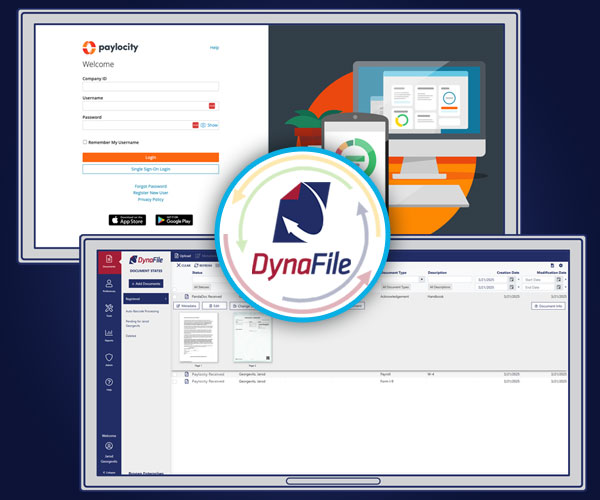
By activating the DynaFile + Paylocity integration for automated onboarding document management, HIG transformed its HR document management from a series of manual handoffs into a fully automated workflow that begins the moment new-hire paperwork is completed.

Now, when a new hire completes their onboarding paperwork in Paylocity, DynaFile automatically takes it from there. Employee folders are created, and new hire onboarding documents, job descriptions, and acknowledgments are organized and filed in real time. Everything is immediately accessible to the HR team without anyone having to initiate the process.


How the DynaFile + Paylocity Integration Automates New Hire Document Filing

The integration pulls completed new-hire onboarding documents directly from Paylocity into organized, standardized employee folders in DynaFile, eliminating the need for manual retrieval, local storage, or re-uploading. Onboarding paperwork, offer letters, job descriptions, signed acknowledgments, and onboarding forms are consistently categorized and filed in every new hire record.

The handbook acknowledgment rollout, which once consumed hours of spreadsheet tracking, is now handled entirely through automated, background bulk document processing, allowing the HR team to focus on other tasks.

DynaFile’s multi-employee file view added another layer of efficiency, letting HR staff view and compare onboarding records across multiple employee folders at once rather than toggling between files one at a time.

Beyond speed, the automation creates consistency. Every new hire file is built the same way, every time. That standardization matters for compliance and audit readiness because it reduces the risk of missing documents, misfiled records, and inconsistent folder structures.

For teams managing electronic employee onboarding at scale, cloud-based HR filing systems enable keeping every onboarding file complete, consistent, and accessible without adding administrative overhead as headcount grows.

A Game-Changer for Efficiency and Accuracy

The DynaFile + Paylocity integration has transformed our document management by automating time-consuming tasks, reducing errors, and speeding up processes. It’s a game-changer for efficiency and accuracy, allowing us to focus on more strategic work.

Jordan Meador, Talent and Culture Business Partner, Houchens Insurance Group


The Results: Real Numbers, Real Time Savings

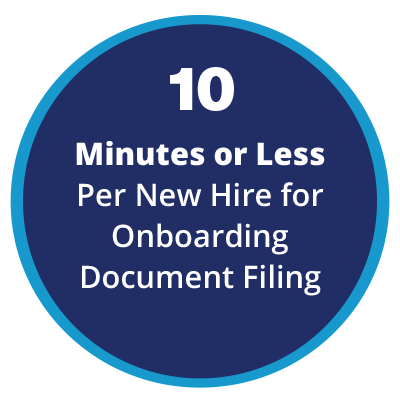
The impact at HIG wasn’t just qualitative. Before the integration, manually pulling, organizing, and filing new hire onboarding documents for 96 new hires accounted for roughly 48 hours of administrative work each year. Today, the same process takes 10 minutes or less per employee and runs largely without human intervention.

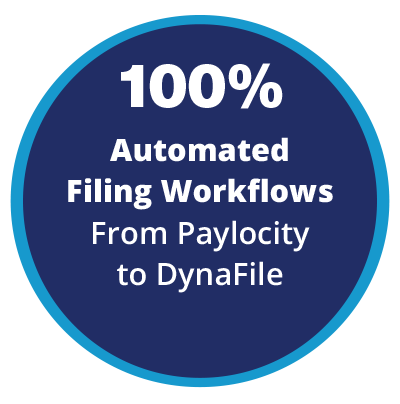
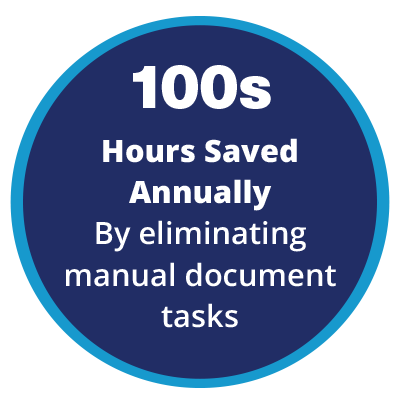
Across HIG’s nearly 500-person workforce, those efficiencies compound quickly. New-hire filing workflows are now 100 percent automated from Paylocity to DynaFile. Hundreds of hours of manual document work have been eliminated annually. And the HR team has reclaimed time that used to be lost to administrative overhead.

By the numbers

  • 100% automated new hire filing workflows from Paylocity to DynaFile
  • 10 minutes or less per new hire for onboarding document filing
  • Hundreds of hours saved annually by eliminating manual document tasks

100-Percent-Automated--Filing-Workflows-From-Paylocity--to-DynaFile
10-Minutes-or-Less--Per-New-Hire-for--Onboarding-Document-Filing
100s-Hours-Saved--Annually-By-eliminating--manual-document--tasks

HIG is already planning the next phase, expanding DynaFile automation to manage annual training certificate tracking at scale.


Why This Matters for Paylocity Users

If your organization runs Paylocity and you’re still manually managing the new hire document side of HR, you’re doing twice the work. The DynaFile + Paylocity integration is designed specifically to close that gap: pulling completed onboarding files directly from Paylocity, building out organized employee file structures in DynaFile, and keeping everything audit-ready without requiring manual coordination between the two systems.

For HR teams managing electronic employee onboarding at scale, that kind of HRIS integration isn’t a luxury. It’s how you keep up without growing your administrative headcount as your workforce grows.

Explore the DynaFile + Paylocity integration for automated onboarding document management


Built for HR Teams Who Need More Than Storage

Document management isn’t just about storing onboarding files. It’s about making sure the right records are filed correctly, accessible instantly, and consistent enough to withstand compliance questions.

DynaFile’s automated onboarding integrations, cloud-based employee file management, and HR records management capabilities are built to reduce the manual effort HR teams carry while giving them better control and visibility over the records they’re responsible for.

HIG’s story isn’t unique. HR teams across insurance, healthcare, education, and other compliance-driven industries are discovering that the gap between their HRIS and their document management system is one of the most fixable sources of wasted time and compliance risk in their operations.


Why Automating New Hire Document Workflows Matters Now

HR teams are increasingly being asked to do more with fewer administrative resources. As onboarding volumes increase and compliance expectations grow, disconnected HRIS onboarding workflows quietly create major operational inefficiencies. Manually bridging the gap between an HRIS and a document management platform introduces filing errors, delays access to employee records, and limits the ability to scale as the workforce grows.

Integrating new hire onboarding document workflows between Paylocity and DynaFile eliminates those gaps while improving consistency, speed, and visibility across HR operations from day one of every new hire’s experience.


See How It Worked for HIG

Explore how DynaFile can help you eliminate paper, streamline operations, and create a more efficient, compliant, and connected HR team just like NANA North.

Want the full breakdown of what HIG was dealing with before the integration, what changed, and how the results stacked up?

Download the full Houchens Insurance Group HR automation case study

DOWNLOAD CASE STUDY

Ready to see what a connected, automated new hire document workflow looks like for your organization?

See how DynaFile works for automated onboarding document management and HRIS integration

Already seen enough? Schedule a personalized DynaFile demo.

Filed Under: Digital Transformation, Electronic Filing, Record Compliance, Workflow Integrations

California’s SB 513 Changed the Rules on Employee Records

May 4, 2026 by Andrew Roberts

Why HR Teams Can’t Afford to Treat Training Records as Secondary Anymore


California SB 513 training records law HR compliance

If your organization has employees in California, you’ve likely heard about the California SB 513 training records law. This update expands how employee records must be maintained and produced, creating new expectations for HR teams.

At first glance, it can feel like another routine compliance update. A small adjustment to personnel file requirements. Something to note and move on from.

That assumption can create real risk.

SB 513 changes how training and education records are treated under California law. More importantly, it changes how quickly HR teams must produce them when requested.

Many organizations understand that the law exists. Far fewer are prepared to meet its operational demands.


What the California SB 513 Training Records Law Actually Changed

Effective January 1, 2026, California expanded Labor Code section 1198.5 to include employee training and education records in personnel files.

According to legal analysis from Fisher Phillips, SB 513 expands employee access rights to include training and education records maintained by employers.

The official legislative language, available via the California SB 513 bill text, confirms that these records now fall under the same inspection and production requirements as traditional personnel files.

That means:

  • Training records are no longer secondary documentation
  • They are now legally accessible records
  • Employees have the right to request and receive them

Employers must respond within a defined timeframe.


The Details Matter More Than You Think

SB 513 does more than expand access. It raises expectations around what a compliant training record should include.

Guidance from CalChamber highlights that training records should clearly document:

  • Employee name
  • Training provider
  • Date and duration
  • Skills or competencies covered
  • Any certifications or qualifications earned

Most organizations already maintain some form of training documentation.

The challenge is that those records are often:

  • Inconsistent
  • Incomplete
  • Stored across multiple systems
  • Difficult to retrieve quickly


Why This Is a Bigger Deal for HR Than It Looks

For HR teams, the California SB 513 training records law is less about whether training happens and more about whether it can be proven.

Training data often lives in multiple places:

  • Learning management systems
  • Third-party training platforms
  • Spreadsheets
  • Email confirmations
  • Shared drives
  • Paper sign-in sheets

Now consider what happens when an employee submits a records request.

HR must gather all records related to that individual, ensure they are complete, and provide them within 30 calendar days.

This is where many organizations become exposed.


The Hidden Risk: Fragmented Records

The law does not penalize employers for offering training.

It penalizes failure to produce complete and accurate records on time.

As noted by employment law experts at Littler, expanded access to personnel records increases legal exposure when documentation is incomplete or difficult to produce within required timelines.

Employers who fail to respond appropriately may face statutory penalties, including fines of up to $750 per violation, as well as potential legal costs.

When multiple requests are mishandled, that exposure can increase.


Where Most Organizations Are Vulnerable

Even well-run HR teams tend to face challenges in a few areas:

Disconnected Systems

Training data is distributed across multiple platforms, without a unified employee record.

Incomplete Documentation

Basic records may not include required compliance details such as duration or competencies.

Manual Retrieval

Responding to a request requires time-consuming searches across systems and files.

No Audit-Ready Structure

There is no single, reliable source of truth for employee records.


What HR Should Do Right Now

To stay compliant under SB 513, HR teams should focus on practical steps:

  • Identify where all training and education records are stored
  • Standardize the required data fields for each training record
  • Ensure each employee has a complete and consistent record
  • Test whether records can be produced within the 30-day requirement
  • Reduce reliance on manual processes

This is not just about responding to a request. It is about being ready for one at any time.

Many HR teams are moving toward more structured, centralized systems to stay compliant. Exploring a solution like DynaFile’s HR document management approach can help eliminate gaps and improve response times.


Why This Matters Beyond California

Even organizations outside California should pay attention.

Regulatory trends are moving toward:

  • Greater employee transparency
  • Broader definitions of personnel records
  • Faster response expectations

SB 513 reflects a broader shift in how employee data must be managed and accessed.


The Shift Toward Audit-Ready HR Systems

For many organizations, this change is accelerating a move toward more structured record management.

HR teams are adopting centralized systems that allow them to:

  • Store all employee records in one place
  • Maintain consistent documentation standards
  • Retrieve complete files quickly
  • Support compliance without manual effort

Solutions like DynaFile help HR teams create that structure, making it easier to stay organized, respond to requests, and maintain audit-ready records.

Centralized systems that standardize and organize employee records make it easier to stay audit-ready. You can see how this works in practice with a structured document management workflow.


The Bottom Line

SB 513 is not just a compliance update.

It reflects a shift in expectations.

Training records are now part of the official employee record and must be treated accordingly.

For HR teams, the key question is simple:

Can you produce a complete and accurate employee record, including training documentation, within 30 days?

If the answer is uncertain, it may be time to rethink how those records are managed.


Want to Simplify HR Compliance Without the Scramble?

If your team is dealing with scattered records, manual processes, or uncertainty around compliance readiness, a more structured approach can make a meaningful difference.

Explore how DynaFile helps HR teams centralize employee records, stay audit-ready, and respond with confidence.

Learn How You Can Get Your HR Files Organized in Weeks, Not Months.


Frequently Asked Questions About California SB 513

Q: What is California SB 513?

A: California SB 513 is a law that expands employees’ access to personnel records by requiring employers to include training and education records in the official personnel file.

Q: What training records are required under SB 513?

A: Employers must provide training records they maintain that include key details such as the employee’s name, training provider, date and duration, competencies covered, and any certifications earned.

Q: How long do employers have to respond to a records request?

A: Employers generally have 30 calendar days to respond to a written personnel records request. In some cases, this can be extended to 35 days if agreed upon in writing.

Q: Do all employers need to create new training records?

A: No. The law applies to training records that employers already maintain. However, if records exist, they must comply with the requirements and be available upon request.

Q: What are the penalties for noncompliance?

A: Employers who fail to provide records on time may face statutory penalties, including fines of up to $750 per violation, as well as potential legal costs.

Q: How should HR teams manage training records for compliance?

A: HR teams should ensure training records are complete, standardized, and easily retrievable. Many organizations are moving toward centralized systems to reduce risk and improve response times.

Filed Under: Digital Transformation, Electronic Filing, Record Compliance

Don’t Lose Critical Background Check Data: A Guide for HR Teams Using HireRight

April 13, 2026 by Andrew Roberts

What HireRight’s 5-Year Data Retention Policy Means for Your HR Records


HireRight data retention policy 2026

Picture this.

You receive a notification from HireRight that a batch of background checks, years of hiring records, disclosure forms, and supporting documentation is scheduled for deletion.

Not archived. Not moved. Permanently deleted as part of a structured data retention policy.

Starting May 15, 2026, HireRight’s data retention policy will take effect across the U.S., impacting how background check records are stored and managed.

This policy reflects HireRight’s commitment to data privacy, security, regulatory compliance, and responsible data management.

Learn more about HireRight’s background screening solutions at https://www.hireright.com/

For HR teams, this is both a positive step forward and an important moment to take ownership of how background check records are retained and managed beyond vendor systems.


Why HireRight’s Data Retention Policy Matters in 2026

HireRight’s Data Retention and Deletion Policy is designed to support responsible data management across the full lifecycle of background screening records.

Key benefits include:

  • Stronger data privacy and security by limiting long-term exposure of sensitive information.
  • Alignment with compliance requirements such as the Fair Credit Reporting Act and state regulations.
  • Improved operational efficiency through structured data retention practices.

Beginning May 15, 2026:

  • Background reports and supporting data older than five years will be permanently deleted.
  • Records completed prior to May 2021 will no longer be accessible.
  • Deleted data cannot be restored.

To support customers through this transition, HireRight has enabled tools such as Advanced Downloads, allowing organizations to retrieve historical records in bulk before deletion.


What This Means for HR Teams

HireRight is taking a responsible approach to managing data within its systems. At the same time, organizations must determine what records they need to retain beyond the five-year window.

Depending on your industry, internal policies, or legal requirements, background check documentation may need to be retained longer.

This creates a clear responsibility for HR teams:

  • Identify which records must be retained.
  • Retrieve them before deletion deadlines.
  • Store them securely within internal systems.

Taking action early helps ensure continuity, compliance, and confidence in your employee records.


Downloading Data Is Only Step One

HireRight’s Advanced Downloads feature simplifies the process of retrieving historical background checks.

But downloading a folder of PDFs is not a records strategy.

Once those files are exported, HR teams are left with important questions:

  • Where will these records be stored?
  • How will they be organized and indexed?
  • Who should have access to sensitive information?
  • How will retention policies be applied and enforced?

Without a structured approach, downloaded files can quickly become difficult to manage, especially at scale.


How Document Management Supports Background Check Compliance

A modern approach to document management helps HR teams move beyond basic storage and toward long-term control and compliance.

By implementing a document management system for HR, organizations can:

  • Standardize employee record retention practices across departments.
  • Ensure secure document storage for sensitive background check data.
  • Apply automated retention policies based on internal and regulatory requirements.
  • Maintain compliance-ready HR systems that simplify audits and reporting.

This approach reduces risk while improving visibility and control over critical employee documentation.


Taking Control of Background Check Records

Many organizations are using this moment to strengthen how they manage employee records.

Rather than relying solely on vendor-based storage, HR teams are adopting centralized systems that allow them to:

  • Store background checks alongside the full employee record.
  • Apply consistent retention policies aligned with business and compliance needs.
  • Secure sensitive information with role-based access controls.
  • Retrieve documents quickly for audits or internal reviews.

This shift to modern employee record management gives HR teams greater control while supporting long-term scalability.


Prepare Now Before Deletion Begins

The timeline is clear, and proactive planning is essential.

If your organization has years of background check history in HireRight, the volume of data can be significant. HireRight recommends retrieving records in phases, which means the process may take time depending on your dataset.

Waiting until the last minute can create unnecessary pressure. Starting early gives your team time to download, organize, and properly validate records.


Turn This Deadline Into a Strategic Advantage

HireRight’s Data Retention and Deletion Policy is a strong step toward better data governance and responsible data handling.

It also creates an opportunity for HR teams to take full ownership of how critical records are stored, secured, and managed over time.

Organizations that act early will be better positioned to maintain compliance, reduce operational risk, and improve efficiency across their HR processes.

HR teams can also use this HR compliance checklist for document storage as a guide when reviewing retention policies and document management practices.


Frequently Asked Questions

Q: What is HireRight’s data retention and deletion policy?

A: HireRight’s U.S. Data Retention and Deletion Policy permanently deletes completed background reports and supporting data older than five years. Enforcement resumes May 15, 2026, meaning records completed prior to May 2021 will begin to be deleted.

Q: Can deleted HireRight records be recovered?

A: No. Once HireRight deletes a background report under this policy, the data cannot be restored. Employers must download and store any records they wish to retain before the deletion date.

Q: How long should employers retain background check records?

A: Retention requirements vary by industry and jurisdiction. Under the Fair Credit Reporting Act, minimum retention periods apply, but regulated industries such as healthcare, finance, and transportation may require longer retention. Employers should consult legal counsel to determine appropriate timelines.

Q: How do I download background check records from HireRight before they are deleted?

A: HireRight provides an Advanced Downloads feature within Screening Manager that allows bulk retrieval of historical records. For large datasets, it is recommended to download records in phases.


Get Started with a Faster, Smarter Approach

If your team is preparing to download background checks from HireRight, DynaFile can help you quickly organize, secure, and manage those records with a system built specifically for HR.

Many organizations are fully up and running in as little as 10 to 14 days, giving HR teams a fast and practical way to stay ahead of the May 2026 deadline.

Learn How You Can Get Your HR Files Organized in Weeks, Not Months.

Filed Under: Cloud Storage, Electronic Filing, Record Compliance

5 Ways HR Teams Improve Compliance and Stay Audit-Ready with Better Employee Document Management

March 17, 2026 by Andrew Roberts

HR departments face increasing pressure to maintain compliant employee records while protecting sensitive information and preparing for audits. Modern HR document management systems help centralize employee files, enforce secure access controls, automate document indexing, and maintain audit-ready documentation.


HR document management for compliance

Better HR document management strengthens compliance by centralizing employee records, securing document access, automating file organization, integrating HR systems, and maintaining audit-ready documentation.

How does document management improve HR compliance?

HR document management improves compliance by ensuring employee records are organized, secure, and easy to retrieve during audits or regulatory reviews. Centralized document storage, controlled access permissions, automated indexing, and HRIS integrations help HR teams maintain complete employee files and respond quickly to compliance requests.


HR compliance is often discussed in terms of policies, regulations, and procedures. But in practice, compliance and HR audit readiness depend heavily on how well employee records are organized, secured, and maintained.

From I-9 forms and tax documentation to performance reviews and disciplinary records, HR teams are responsible for maintaining complete, secure, and accessible employee files. When documents are scattered across paper folders, shared drives, email attachments, or disconnected systems, maintaining compliance becomes significantly more difficult.

Organizations that modernize their HR document management practices gain better control over employee records, reduce compliance risk, and ensure they are prepared for audits or regulatory requests.

Here are five ways HR teams improve compliance and audit readiness through better document management.


1. Centralize Employee Records to Strengthen HR Compliance


One of the most important steps toward improving HR compliance is centralizing employee records in a secure digital system.

Many HR departments still manage files across multiple locations:

  • Paper personnel folders
  • Shared network drives
  • Email attachments
  • HRIS platforms
  • Cloud storage tools

This fragmented approach increases the risk of lost, incomplete, or outdated documentation. During audits or compliance reviews, HR teams may spend hours searching for required records.

A centralized HR document management system helps organizations:

  • Store all employee records in one secure location
  • Standardize how files are organized across departments
  • Quickly retrieve documents when needed
  • Reduce the risk of missing compliance documentation

Centralized records also improve consistency in employee record compliance, making it easier for HR teams to follow retention requirements and maintain complete personnel files.


2. Use Role-Based Access Controls

Employee records contain highly sensitive information, including personal identifiers, compensation details, medical documentation, and disciplinary records. Protecting this information is essential for both data privacy and regulatory compliance.

Modern HR document management systems support role-based access controls, allowing organizations to control exactly who can view, edit, or manage specific employee documents.

Role-based access controls allow HR teams to:

  • Restrict access to confidential information
  • Limit document editing permissions
  • Protect sensitive employee data
  • Ensure only authorized personnel can view certain files

For example, payroll teams may require access to compensation records, while department managers may only need access to performance documentation.

By controlling document access through structured permissions, organizations strengthen both security and HR compliance.


3. Automate Document Organization with AI Document Intelligence

Manually filing HR documents is time-consuming and often inconsistent. Even well-organized HR teams can misfile records or apply inconsistent naming conventions, making employee files difficult to retrieve during audits.

Modern HR document management platforms now use AI Document Intelligence (AIDI) to automatically identify, classify, and organize employee documentation.

AI-driven document intelligence can automatically:

  • Recognize document types such as I-9 forms, W-4s, contracts, or evaluations
  • Extract key information from documents
  • Assign files to the correct employee record
  • Apply consistent indexing and naming structures

By automating document classification and indexing, HR teams reduce manual filing errors and ensure employee records remain properly structured and searchable.

Modern document management solutions also enable HR teams to quickly search, retrieve, and verify records, which is especially valuable during compliance reviews or audits.


4. Integrate HR Document Management with HRIS Platforms

Most HR teams rely on multiple systems to manage employee information. HRIS platforms such as Paylocity, ADP, and UKG store core employee data, while documents may live in entirely separate storage systems.

When HR systems operate independently, employee records can become fragmented and difficult to manage.

Integrating HR document management with HRIS platforms such as Paylocity allows organizations to connect employee documents directly to HR records.

These integrations help HR teams:

  • Automatically link documents to employee profiles
  • Reduce duplicate data entry
  • Maintain consistent employee records across systems
  • Streamline onboarding and compliance documentation

Many HR document management platforms support integrations with leading HR and payroll systems through dedicated HR software integrations.

When HR documents and HRIS data are connected, organizations gain a clearer and more complete view of employee records, improving both efficiency and compliance oversight.


5. Maintain Audit-Ready Document Trails for HR Compliance

Regulatory agencies may request employee records during compliance audits, investigations, or workplace disputes. Organizations must demonstrate that employee documentation is accurate, complete, and properly maintained.

Federal agencies such as the U.S. Department of Labor, the Equal Employment Opportunity Commission, and U.S. Citizenship and Immigration Services enforce recordkeeping requirements governing employee documentation and workplace compliance.

Modern HR document management systems support audit-ready documentation by maintaining detailed activity logs and document histories.

These systems allow HR teams to track:

  • When documents were created or updated
  • Who accessed or modified files
  • Changes made to documentation over time
  • Whether the required compliance documents are present

Modern HR document management systems maintain detailed audit trails that track document activity and access.

Audit-ready documentation allows HR teams to:

  • Respond quickly to regulatory requests
  • Verify document integrity and history
  • Identify unauthorized access attempts
  • Maintain transparency in employee record management

Instead of scrambling to locate files during an audit, HR teams can access organized records and document histories instantly.


HR Compliance Checklist for Employee Document Storage

Maintaining compliant employee records requires consistent document management practices. HR teams must ensure documents are organized, secure, and retained according to regulatory requirements.

Here are a few key compliance checkpoints HR teams should review regularly:

  • Classify employee documents by type and retention requirements
  • Secure sensitive records using role-based access controls
  • Maintain detailed audit trails for document activity
  • Integrate employee documents with HR systems
  • Track document expiration and compliance deadlines

These are just a few elements of a comprehensive HR document compliance strategy.

For a complete step-by-step framework covering document classification, retention requirements, access controls, audit trails, and compliance automation, explore our full guide:

HR Compliance Checklist for Document Storage


Why HR Document Management Is Critical for Compliance

As regulatory requirements continue to evolve, HR departments are responsible for managing growing volumes of employee documentation while maintaining strict privacy and security standards.

Organizations that rely on manual filing systems or disconnected storage tools often struggle with:

  • Incomplete employee files
  • Inconsistent recordkeeping
  • Security vulnerabilities
  • Slow audit response times

Modern HR document management systems address these challenges by providing structured control over employee records.

These solutions help HR teams:

  • Centralize employee documentation
  • Protect sensitive information
  • Automate document organization
  • Integrate HR systems
  • Maintain audit-ready records

By improving how employee documents are stored and managed, organizations can strengthen compliance while reducing administrative burden.


Final Thoughts

HR compliance is ultimately about maintaining accurate, secure, and accessible employee records.

When organizations adopt structured document management practices, HR teams gain greater control over documentation, improve audit readiness, and reduce compliance risk.

For many organizations, improving HR document management is one of the most effective ways to support both regulatory compliance and operational efficiency.


Improve HR Compliance with Better Document Management

Maintaining compliant employee records is becoming more complex as regulations evolve and organizations manage larger volumes of documentation.

Modern HR document management solutions help HR teams centralize employee records, protect sensitive information, automate document organization, and maintain audit-ready documentation.

DynaFile helps organizations simplify HR document management with secure employee file storage, automated document indexing, HRIS integrations, and role-based access controls designed for compliance.

See how DynaFile helps HR teams stay audit-ready.

Schedule a demo to learn how DynaFile improves HR document compliance.


Additional HR Compliance Topics HR Teams Should Understand

Effective HR document management supports compliance across many areas of employment law and regulatory oversight. HR teams must maintain accurate employee records to meet federal and state recordkeeping requirements tied to hiring, payroll, workplace safety, and employee relations.

Strong document management practices help organizations stay compliant with requirements related to:

  • HR records retention requirements
  • Employee personnel file management
  • I-9 document compliance
  • HR file security and access control
  • Payroll recordkeeping requirements
  • Employee documentation policies
  • Workplace investigation documentation
  • HR compliance documentation standards
  • Employee file audit preparation
  • Digital employee records management

Frequently Asked Questions: HR Document Management and Compliance

Q: What is HR document management?

A: HR document management refers to the systems and processes used to store, organize, secure, and retrieve employee records such as tax forms, contracts, performance reviews, and compliance documentation. Modern HR document management systems centralize employee records and help organizations maintain regulatory compliance.

Q: Why is document management important for HR compliance?

A: Proper document management ensures employee records are complete, secure, and accessible during audits or regulatory reviews. Without structured document management, HR teams may struggle with missing files, inconsistent recordkeeping, or delayed responses to compliance requests.

Q: What documents should HR keep for compliance?

A: Common compliance-related HR documents include:

  • I-9 employment eligibility forms
  • W-4 tax forms
  • Employee contracts and agreements
  • Disciplinary records
  • Performance evaluations
  • Payroll documentation
  • Training and certification records

Retention requirements for these documents vary depending on regulations such as those from the EEOC, FLSA, OSHA, and USCIS.

Q: What is AI Document Intelligence in HR document management?

A: AI Document Intelligence refers to technology that uses artificial intelligence to automatically identify, classify, and organize HR documents. These systems can recognize document types such as employment forms, contracts, or evaluations and assign them to the correct employee record. By automating document indexing and organization, AI Document Intelligence helps HR teams maintain accurate employee files and improve compliance readiness.

Q: How do HR document management systems improve audit readiness?

A: HR document management systems improve audit readiness by centralizing employee records, maintaining detailed access logs, and ensuring documents are properly indexed and searchable. This allows HR teams to quickly provide required documentation during regulatory audits or investigations.

Filed Under: Cloud Storage, Digital Transformation, Electronic Filing, Record Compliance Tagged With: HR compliance, HR document management

Why HRIS Platforms Still Leave Employee Documents Disconnected And How the Paylocity + DynaFile Document Management Integration Solves It

February 25, 2026 by Andrew Roberts

HRIS platforms like Paylocity centralize workforce data, but employee documents often remain fragmented across systems. Learn how integrating HRIS platforms with DynaFile creates a secure, compliant employee document management layer.


HRIS document management integration

Modern HRIS platforms have transformed payroll, benefits administration, onboarding workflows, and workforce management. Systems like Paylocity centralize employee data and streamline day-to-day HR operations. However, most HRIS platforms are not designed to function as employee document management systems, leaving critical HR documents disconnected from the system of record.

But there is still a critical gap in many HR technology stacks:

Employee documents often remain disconnected from the system of record.

Even with a robust HRIS in place, organizations frequently store employee files in shared drives, email inboxes, legacy servers, or physical filing cabinets. This disconnect introduces compliance risk, manual work, and audit uncertainty.

It is not a payroll problem.
It is not a workforce data problem.
It is a document management problem.

And it is one that many organizations do not realize they still have.

Without a structured employee document management system, organizations often struggle to keep personnel records organized, searchable, and compliant.


The Hidden Gap in HRIS Platforms


HRIS systems are designed to manage employee data. They track compensation, job changes, benefits elections, timekeeping, and workforce analytics.

But they are not purpose-built document management systems.

As a result, HR teams often face:

  • Manual downloading and uploading of employee documents
  • Inconsistent folder structures across departments
  • Limited search capabilities during audits
  • No centralized metadata framework
  • Retention policies managed outside the HRIS

Over time, this creates operational friction and compliance exposure. As organizations grow, expand across states, or support hybrid workforces, the risks increase.


Why Employee Document Management Requires Its Own Layer

Employee records are not just files. They carry legal, regulatory, and operational weight.

I-9s, W-4s, offer letters, disciplinary records, benefits documentation, certifications, and performance documents must be:

  • Securely stored
  • Properly indexed
  • Easily searchable
  • Access-controlled
  • Retained according to regulatory timelines

A true employee document management system provides:

  • Structured indexing and consistent metadata
  • Automated retention schedules
  • Role-based access controls
  • Full audit trails
  • Secure, cloud-based access for distributed teams

This is where the concept of an employee document layer becomes essential.


The Employee Document Layer for HRIS Platforms

Instead of forcing HRIS platforms to function as document repositories, leading organizations are implementing a complementary solution: a document management system that integrates directly with their HRIS.

DynaFile serves as the employee document layer for modern HRIS platforms.

By integrating with systems like Paylocity, the Paylocity + DynaFile integration connects trusted employee data with structured, compliant document storage and automated employee document management.

The result:

  • The HRIS manages employee data and workflows
  • DynaFile manages employee documents, compliance, and retention
  • Integration eliminates manual file handling

Each system performs the function for which it was designed, creating a stronger, more scalable HR technology stack.


How the Paylocity + DynaFile Integration Works

When using the Paylocity + DynaFile integration, employee data automatically structures document folders and organizes HR documents into secure digital personnel files.

  1. Employee data automatically structures document folders in DynaFile
  2. Documents generated through HR workflows are automatically categorized and routed
  3. Files are indexed using consistent metadata for fast retrieval
  4. Retention schedules and role-based permissions are applied automatically

For example, when a new hire completes onboarding in Paylocity, documents such as W-4s and I-9s are automatically filed in the correct employee record within DynaFile. This removes the need for manual downloading, naming, and sorting.

During an audit, HR teams can locate employee records instantly by employee name, document type, or compliance category.


Beyond Paylocity: Building a Connected HR Document Ecosystem

While the Paylocity integration demonstrates how HRIS data and employee document management can work together seamlessly, the employee document layer extends beyond a single platform.

DynaFile integrates with leading HRIS, HCM, and workforce management systems to ensure employee documents remain structured, searchable, and compliant regardless of the technology stack.

Supported integrations include platforms such as:

  • Workday
  • ADP
  • UKG
  • SAP
  • Ceridian Dayforce
  • Oracle Taleo
  • iCIMS

In addition to HRIS platforms, DynaFile connects with leading e-signature and digital workflow integrations, including DocuSign, PandaDoc, Adobe Acrobat Sign, and signNow, ensuring employee documents can be securely signed and automatically filed into structured personnel records.

By integrating across HRIS and e-signature systems, DynaFile ensures that employee documents can be:

  • Generated digitally
  • Signed securely
  • Automatically filed
  • Indexed using structured metadata
  • Retained according to compliance requirements

Instead of fragmented storage across platforms, organizations gain centralized, audit-ready employee document management across their entire HR ecosystem.


Why This Matters Now

Compliance requirements are expanding. Multi-state employment regulations add complexity. Remote and hybrid teams require secure, cloud-based access to sensitive employee records.

Manual document handling does not scale.

Organizations that separate HRIS data management from structured employee document management gain:

  • Reduced compliance risk
  • Faster audit response times
  • Improved operational efficiency
  • Stronger internal controls
  • Greater visibility across departments

The HR technology stack is evolving.

And the employee document layer is becoming a necessary component.


Announcement

DynaFile recently announced the launch of its Paylocity integration, designed to eliminate disconnected HR documents and automatically organize employee records into structured digital personnel files.

You can read the full press release here.


Modernize Your Employee Document Management

If you are using Paylocity or another HRIS platform, consider whether your employee documents are as structured and secure as your workforce data.

DynaFile helps organizations centralize, index, secure, and manage employee records through intelligent integrations designed to eliminate manual filing and strengthen compliance.

Explore the Paylocity integration to see how the employee document layer works in practice, or schedule a personalized demo to evaluate how DynaFile fits into your existing HR technology stack.


Frequently Asked Questions About HRIS Document Management Integrations

Q: What is an HRIS document management integration?

A: An HRIS document management integration connects employee data from an HR system like Paylocity with a structured document management system. This allows employee records to be automatically organized, indexed, secured, and retained in compliance with requirements.

Q: Why can’t an HRIS manage employee documents on its own?

A: HRIS platforms are designed to manage employee data and workflows, not to serve as full-featured document management systems. Dedicated employee document management software provides structured indexing, metadata, retention automation, and audit trails that go beyond standard HRIS capabilities.

Q: How does integrating Paylocity with DynaFile improve compliance?

A: By automatically filing and indexing employee documents using consistent metadata and retention rules, organizations reduce manual errors and improve audit readiness. Role-based access controls and audit trails further strengthen compliance.

Q: What types of documents can be managed through an HRIS integration?

A: Common employee documents include I-9s, W-4s, offer letters, onboarding forms, benefits documents, performance records, certifications, and policy acknowledgments.

Filed Under: Digital Transformation, Record Compliance, Workflow Integrations

  • Page 1
  • Page 2
  • Page 3
  • Interim pages omitted …
  • Page 13
  • Go to Next Page »

Footer

dynafile-footer

Dynafile gives your teams secure, immediate access to the documents they need, with automated scanning, effortless retrieval, refined segmentation, onboarding integrations, and customized compliance reporting in the cloud.

DEMO DYNAFILE
  • Company
    • Tour
    • Customers
    • Partners
    • Careers
    • Contact Us
    • Compliance & Certifications
    • Advocacy Program
    • Cookie Policy (EU)
  • Features
    • Meet AIDI
    • Cloud Workflows
    • Cloud Storage
    • Scanning Automation
    • Automated Onboarding Integrations
    • Seamless Integrations
  • Solutions
    • Human Resources
    • Education
    • Healthcare
    • Accounting
    • Contract Management
    • Manufacturing & Distribution
    • Real Estate
    • Staffing
    • Other Solutions
  • Resources
    • Case Studies
    • ROI Calculator
    • HR Guides
    • Press Releases
    • Blog
    • FAQs
© 2026 Blue Ribbon Technologies. All Rights Reserved. | Privacy Policy
Facebook linkedin youtube instagram twitter
  • Privacy Policy
  • Homepage
  • Landing Page
  • Tour
  • Solutions
    • Human Resources
    • Education
    • Healthcare
    • Accounting
    • Contract Management
    • Distribution
    • Real Estate
    • Staffing
    • Other Solutions
  • Features
    • Cloud Workflows
    • Scanning Automation
    • Cloud Storage
    • Automated Onboarding Integrations
    • Seamless Integrations
    • Meet AIDI – AI Document Intelligence by DynaFile
  • Company
    • Customers
    • Contact Us
    • Partners
    • Careers
    • History
    • Advocacy Program
    • Compliance & Certifications
  • Landing Page V1
  • Sandbox
  • Resources
    • Blog
    • FAQs
    • Press Releases
    • HR Guides
    • Case Studies
    • 2026 HR Challenges Research Study
    • ROI Calculator
  • DPA
    • 20211021
    • 20220722
  • Cookie Policy (EU)
  • DynaFile Quick Tour
  • Test Page
  • EULA
    • NPM
    • Page URL
    • URL
  • Explore DynaFile
  • DynaFile for HR
  • DynaFile for Education
  • Lead Referral Partner
  • DynaFile for Healthcare
  • Open Source
  • DynaFile for Manufacturing
  • Do More in Q4 WP Form Test
  • Calculator
  • Sitemap
  • 2025 HR Challenges Research Study Thank You
  • Home 2025 Backup
  • Compliance
  • Integrations
    • Paylocity
    • DocuSign
    • PandaDoc

  • Company
    • Tour
    • Customers
    • Partners
    • Careers
    • Contact Us
    • Compliance & Certifications
    • Advocacy Program
    • Cookie Policy (EU)
  • Features
    • Meet AIDI
    • Cloud Workflows
    • Cloud Storage
    • Scanning Automation
    • Automated Onboarding Integrations
    • Seamless Integrations
  • Solutions
    • Human Resources
    • Education
    • Healthcare
    • Accounting
    • Contract Management
    • Manufacturing & Distribution
    • Real Estate
    • Staffing
    • Other Solutions
  • Resources
    • Case Studies
    • ROI Calculator
    • HR Guides
    • Press Releases
    • Blog
    • FAQs
Manage Cookie Consent
To provide the best experiences, we use technologies like cookies to store and/or access device information. Consenting to these technologies will allow us to process data such as browsing behavior or unique IDs on this site. Not consenting or withdrawing consent, may adversely affect certain features and functions.
Functional Always active
The technical storage or access is strictly necessary for the legitimate purpose of enabling the use of a specific service explicitly requested by the subscriber or user, or for the sole purpose of carrying out the transmission of a communication over an electronic communications network.
Preferences
The technical storage or access is necessary for the legitimate purpose of storing preferences that are not requested by the subscriber or user.
Statistics
The technical storage or access that is used exclusively for statistical purposes. The technical storage or access that is used exclusively for anonymous statistical purposes. Without a subpoena, voluntary compliance on the part of your Internet Service Provider, or additional records from a third party, information stored or retrieved for this purpose alone cannot usually be used to identify you.
Marketing
The technical storage or access is required to create user profiles to send advertising, or to track the user on a website or across several websites for similar marketing purposes.
  • Manage options
  • Manage services
  • Manage {vendor_count} vendors
  • Read more about these purposes
View preferences
  • {title}
  • {title}
  • {title}