
PandaDoc Integration for Automated Employee Document Management
Connect DynaFile with PandaDoc to send, sign, and automatically store employee documents in structured, secure employee folders.
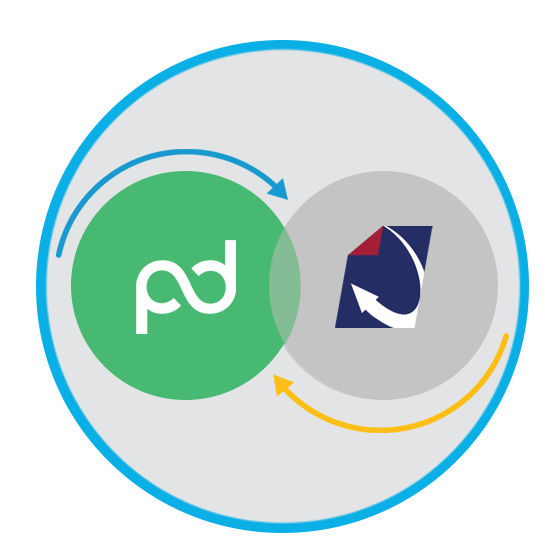
From Document Creation to Secure Employee File Storage
PandaDoc simplifies document creation and electronic signatures, but signed HR documents still need to be securely organized, indexed, and retained. The DynaFile PandaDoc integration ensures every signed document is automatically filed, searchable, and audit-ready throughout the employee lifecycle.


The Document Gap Between e-Signatures and Employee File Storage
Many HR teams use PandaDoc to send offer letters, onboarding packets, policy acknowledgments, and performance documents. However, once documents are signed, teams often:
- Manually download and upload files into employee folders
- Rename and organize documents by hand
- Risk of inconsistent filing structures
- Struggle to track missing or expiring documentation
- Lose visibility during audits
Electronic signatures streamline document completion. DynaFile ensures those documents are stored correctly, securely, and consistently.

The Solution: A Seamless Integration Between DynaFile and PandaDoc
The DynaFile PandaDoc integration connects document automation and electronic signatures with structured employee document management.
Together, the platforms create a fully digital employee document workflow from creation to long-term retention.

How the PandaDoc Integration Works
The PandaDoc document management integration creates an automated bridge between PandaDoc and DynaFile, routing signed employee documents directly into secure, indexed folders without manual handling.
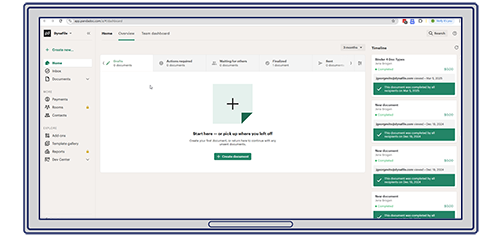
1. Build and Send in PandaDoc
HR teams create onboarding packets, offer letters, benefit forms, and policy documents using PandaDoc templates and dynamic fields.
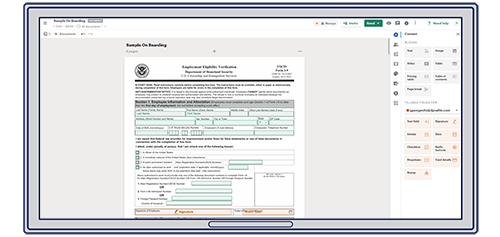
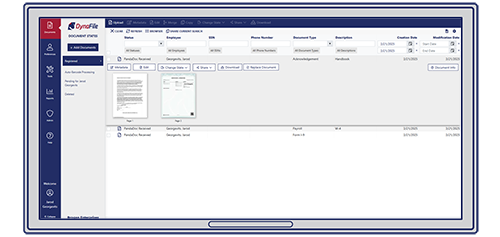
3. Automatically File into DynaFile
Once signed, documents are automatically routed into the correct employee folder in DynaFile. Files are indexed, searchable, and stored according to your retention policies.
No manual downloads. No renaming. No misplaced documents.
Download the PandaDoc Integration Overview
Download the integration whitepaper to see how DynaFile connects with PandaDoc to automate document routing, structure employee folders, and maintain compliance across the employee lifecycle.

Designed for Compliance, Security, and Scale
The PandaDoc integration supports organizations that need:
- Structured employee file storage
- Automated document indexing
- Role-based access controls
- Audit trails and compliance monitoring
- Remote and multi-location HR support
As hiring scales and compliance requirements grow, DynaFile ensures electronic signatures translate into properly managed employee records.

Real-World Results with PandaDoc and DynaFile
Organizations use the DynaFile PandaDoc electronic signature integration to eliminate manual uploads, accelerate onboarding, and improve filing efficiency.

Paul Mitchell Schools
Education | PandaDoc Integration
Implemented DynaFile with PandaDoc to replace manual HR filing and automate onboarding document workflows.
Since adopting the integrated system, the school saw a 100 percent increase in filing efficiency and eliminated manual uploading of signed forms.

From 1 Day to 15 Minutes
My favorite part of DynaFile has been being able to share access with the auditors. It used to take me one whole day to scan the files they requested, and now it takes me less than 15 minutes to share the access.
Frequently Asked Questions About the PandaDoc Integration
Q: What does the DynaFile PandaDoc integration do?
A: The DynaFile PandaDoc integration automatically routes signed documents from PandaDoc into structured employee folders within DynaFile. It eliminates manual downloading, renaming, and uploading of HR documents while ensuring files are indexed, searchable, and stored according to retention policies.
Q: Does PandaDoc store employee files long-term?
A: PandaDoc manages document creation and electronic signatures. DynaFile serves as the system of record for employee documents by securely storing, organizing, and managing retention and access controls throughout the employee lifecycle.
Q: What types of HR documents can be automated through this integration?
A: Organizations commonly automate onboarding packets, offer letters, policy acknowledgments, benefit enrollment forms, performance evaluations, and other compliance-related HR documents.
Q: Does this integration require a complex setup?
A: No. The PandaDoc integration is designed to connect seamlessly with DynaFile and works with existing PandaDoc subscriptions without disrupting HR workflows.
Q: Is the PandaDoc integration secure?
A: Yes. Documents are securely transmitted and stored within DynaFile using role-based access controls, encrypted cloud storage, and detailed audit trails to help organizations maintain compliance and protect sensitive employee information.
Ready to Automate PandaDoc Document Filing?
Whether you are already using PandaDoc or expanding your HR technology stack, DynaFile helps you centralize, secure, and manage employee records without adding manual work.
Schedule a personalized demo to see how the DynaFile PandaDoc integration works in your environment.