Document Management
Features Built to
Maximize Efficiency
Take the tour to see how DynaFile can help streamline file management in your office.

Accelerate Workflows & Maximize Efficiency
DynaFile gives your teams a secure, convenient way to access and manage their documents. Whether you’re looking for automated scanning tools or powerful integrations with e-signatures & digital workflows – we have the perfect solution!

Automate Document Workflows
Streamline your document workflows and enhance your onboarding process with the power of automation.
- Onboarding Integrations — Powerful e-signature integrations use completed onboarding documents from systems such as DocuSign, PandaDoc, and Adobe Sign to create new hires’ folders inside DynaFile automatically.
- Integrations & API — Seamlessly sync with HCM, HRIS, LMS, Payroll, and ATS systems such as ADP, Ceridian, iCIMS, IBM Kenexa BrassRing, Kronos, Oracle, Paychex, Paylocity, PeopleSoft, SAP, SilkRoad, UltiPro, and Workday, and documents can be automatically filed in your DynaFile cloud to streamline workflows and boost productivity.




Supercharge Automation with AIDI
AIDI is DynaFile’s built-in AI document intelligence engine that instantly classifies files, applies metadata, and routes them to the correct folder automatically. It eliminates the need for manual filing and speeds up every part of your document workflow.
From onboarding documents to compliance records, AIDI ensures every file is organized, secure, and audit-ready.
- Reduce human error and increase filing accuracy
- Eliminate busywork with instant, automated routing.
- Improve compliance with a consistent digital file structure.

Digitize Documents &
Go Paperless
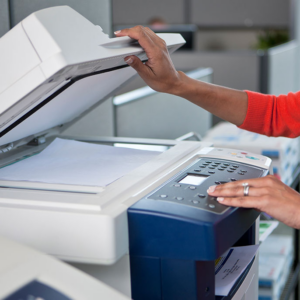
If you’re tired of sifting through countless paper documents and folders, DynaFile offers a comprehensive solution that includes indexing information, batch processing, and cloud storage to help you quickly digitize and manage your documents from anywhere.
- Document Search & Retrieval — Instead of searching through folders or stacks of paper and not being sure that you’ll find what you need, DynaFile stores documents based on their indexing information.
- Batch Processing — This is an easy way to convert your physical files into digital ones quickly and go paperless! It works by scanning entire folders, including the barcodes which have information that helps DynaFile file the documents in the right place automatically.
- Cloud Storage — DynaFile is a secure way to store your files online and access them from anywhere. You can organize all of your documents in one place so you know where everything is. You can quickly find what you’re looking for with the touch of a button.



Embrace Paperless Collaboration
In today’s digital age, embracing paperless collaboration is essential for any modern business. With DynaFile’s secure file-sharing and version control features, teams can work together seamlessly and efficiently while ensuring the privacy and security of their data.
- Secure File Sharing — DynaFile offers secure ways to share files with your team, like sending a secure link, using a Drop Box, setting passwords, faxing it from an online filing cabinet or creating a virtual data room. You can also set rules for who has access to your files and folders.
- Version Control — DynaFile makes it easy for teams to collaborate in real time. Version history keeps a record of all separate versions of a document in the system and lets you leave comments specific to each version.
Increase Security & Boost Compliance
DynaFile provides extensive administrative controls, access permissions, and audit reporting capabilities to maintain security and compliance, ensuring that all document actions are tracked and accounted for.
- Full Administrative Controls — DynaFile offers extensive administrative capabilities for controlling the system, from document classification to user and group administration.
- Access Permissions — Admins have full control over access permissions or restrictions regarding every available action that a user can perform in the system. These access permissions can be applied to individuals or groups of users.
- Audit Reporting — DynaFile tracks every document and action, offering standard and custom reports for each company’s specific needs. Reports can be accessible to all users or limited to administrators.
See how DynaFile supports HIPAA, FERPA, SOC 2, and industry-specific compliance requirements >

Success by the Numbers
Join our community of happy customers and discover how our solutions can help you streamline your workflows and grow your business.
Barcode Processing
Average Client Retention

DynaFile works for us!
Great experience overall. Working with the DynaFile team has been great! Having the ability to access documents at our team’s fingertips make managing teammate files efficient, easy and simple. When conducting audits in multiple states, we’ve been complimented on how user-friendly and organized the platform is when pulling documents. We also love the ability to send files right from the platform which saves us lots of time. Our account manager is a ROCKSTAR, and she is always available to assist when we need her. She even showed us how to connect DynaFile with DocuSign, so once the teammates signed documents, the document moved over to DynaFile automatically.
Patty D. | VP of Talent
Efficiency for All Teams
Powerful filing solutions tailored for your department and industry.

Human Resources
Give HR a shortcut to electronic personnel files with scanning automation, paperless onboarding, and cloud document management.

Education
Move from paper to electronic student files to give time back to your admin teams and increase efficiency across the entire office.

Healthcare
Make a smooth transition from paper to electronic medical records to easily manage files and get patient forms completed digitally.
Get Started with DynaFile Today!
Unlock the Power of Digital HR Document Management.
Give time back to your team and let them enjoy the increased efficiency of a completely paperless employee file lifecycle.
Join hundreds of HR teams saving 7+ hours per week with DynaFile.
Get started in as little as 10 days.